Category: Updates

  • Izivote Update: Frictionless Voting, Faster Setup, and Tighter Security

    Izivote Update: Frictionless Voting, Faster Setup, and Tighter Security

    Every extra click between a voter and a ballot costs you participation. When an audience has to jump through hoops to authenticate, conversion drops. That is why our latest platform update directly targets friction. We have rebuilt how people sign in, stay signed in, and cast their votes, while giving organizers sharper tools to manage campaigns behind the scenes.

    Here is how the latest Izivote updates make running your online voting campaigns smoother for everyone involved.

    The End of Login Fatigue

    We know voters hate starting from scratch. Now, when a voter authenticates on one Izivote campaign, they are instantly recognized across any other campaign that asks for the same sign-in method.

    Returning voters no longer have to hunt through their inboxes for a new verification code every single time they visit your page. They stay signed in for longer periods, and the voting page immediately knows exactly where they left off. If a session does naturally expire after an extended break, we have entirely removed cryptic error messages. Instead, the page clearly explains what happened and offers a single, prominent button to get them right back into the action.

    When someone is done and clicks sign out, it is now a complete global sign-out. This includes vote pages that are embedded natively into your own website, ensuring shared devices remain completely secure.

    Faster Checkouts and Clearer Boundaries

    For organizers running paid voting campaigns, speed is revenue. We updated the checkout process so a voter’s email address prefills automatically from their browser. Less typing means fewer abandoned carts and more completed votes for your cause.

    We also tightened our system messaging to keep the voting pool clean. If a user tries to bypass your rules using a temporary or forwarding email address, the platform no longer just fails silently. It gives the user a clear, plain-language explanation of exactly why that address cannot be used.

    Cleaner Setup and Instant Security for Organizers

    Behind the scenes, we streamlined the campaign creation process to give organizers more precise control. Choosing how your audience authenticates is now a dedicated step in itself. We replaced the old “Google” label with a broader “Login” configuration, allowing you to clearly select either standard email or Google sign-in.

    If you are running a restricted election or a private staff award, managing your audience is now much easier. Your controlled voter lists will now accept standard email addresses right alongside traditional voter IDs, making bulk uploads far more intuitive.

    Security enforcement moves much faster now, too. If you ever need to block a specific account, that restriction takes effect almost instantly. Unwanted activity is stopped dead in its tracks rather than lingering for days.

    Finally, to support all of these upgrades, the Izivote Help Centre has been completely rewritten. Every guide matches the current interface exactly, terminology has been updated to match the new Login flow, and all references to retired features are gone.

    All of these updates are live right now. Log in to your dashboard to experience the new setup flow and launch your next campaign.
  • Secure & Monetize Your Competitions and Fan Awards with Izivote’s Redesigned Paid Voting

    Secure & Monetize Your Competitions and Fan Awards with Izivote’s Redesigned Paid Voting

    Organizing a fan award, talent competition, or public poll is a true labor of love. It takes immense time, energy, and resources to bring communities together and celebrate the talent that matters most.

    At Izivote, we provide the online voting platform you need to run secure, beautiful, and highly engaging campaigns so you can focus on what you do best: hosting a spectacular event. We also understand that sustaining these competitions requires capital. That is why we thoughtfully redesigned our paid voting system to help you protect the integrity of your poll while seamlessly funding your future events.

    Here is how our upgraded platform helps organizers run fair competitions and monetize online polls effortlessly:

    Protect Poll Integrity: A Powerful Shield Against Spam

    For many event organizers, the primary benefit of paid voting isn’t just fundraising. It is about guaranteeing a fair, transparent competition.

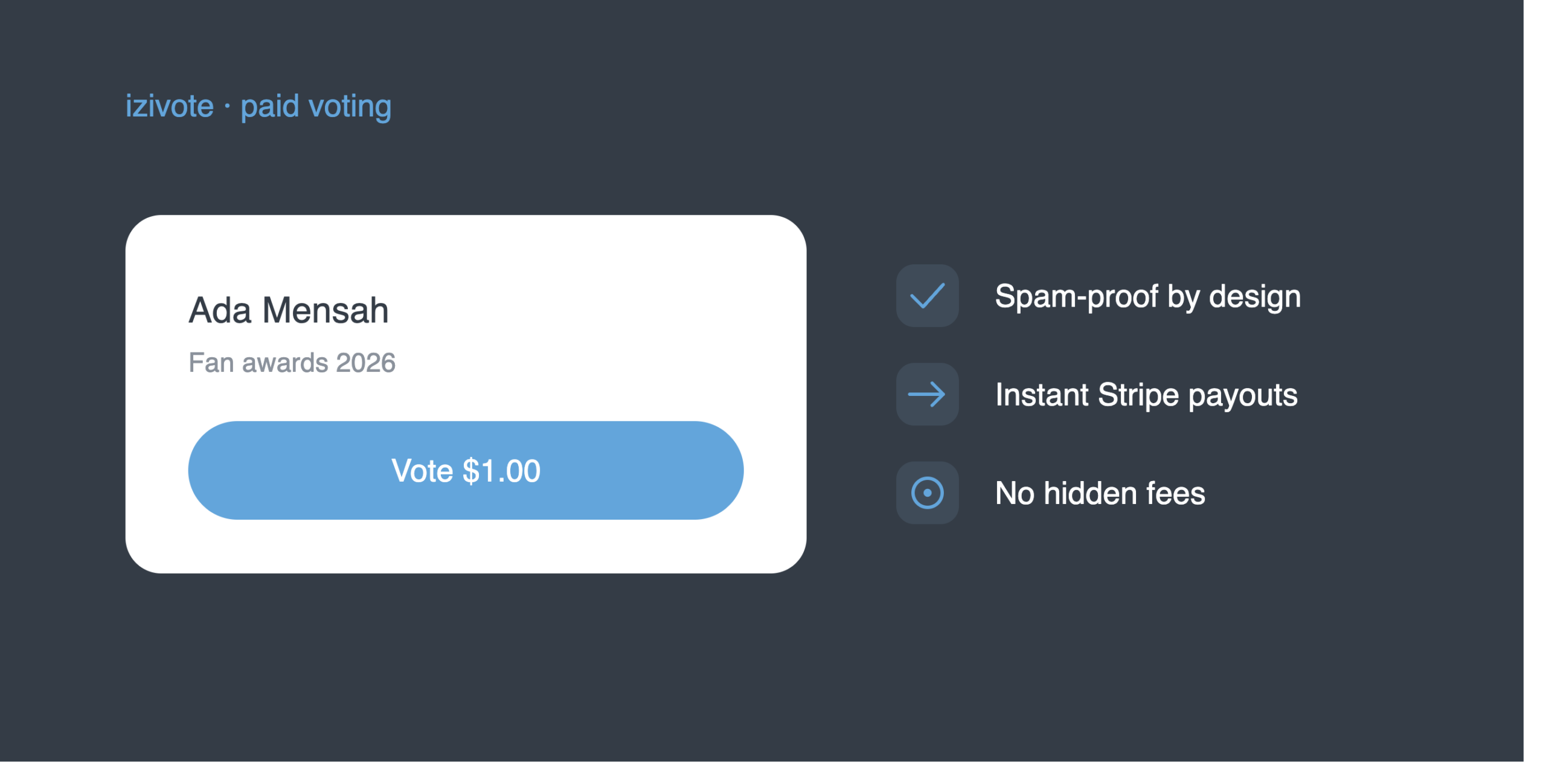
    Paid voting is one of the most effective anti-spam measures available for public polls. While bad actors can easily generate fake email addresses, faking a credit card transaction is incredibly difficult.

    By applying a micro-fee per vote, you introduce an ultimate security measure that ensures a level playing field for all participants. As a bonus, the revenue generated helps cover your event costs.

    Frictionless Operations: Direct Payouts with Stripe Integration

    You have enough on your plate without having to chase down your funds. In the past, we required manual payout requests and approval wait times. We have removed the middleman entirely.

    By connecting your Stripe account directly to Izivote, every single vote payment flows straight to you:

    • No manual requests: Payments move automatically.
    • No wait times: Stripe deposits earnings directly into your bank on your schedule.
    • Total control: Track transactions, payouts, and transparent fee breakdowns securely in your organizer dashboard.

    Note: Organizers in select regions without Stripe support may still access paid voting via manual payouts. Please review our list of supported regions.

    A Global Voting Platform: Accept Payments Anywhere

    Your audience shouldn’t be limited by geography. With Izivote, you can set a specific currency for each individual vote page directly from your dashboard.

    Supporters from anywhere in the world can vote for their favorites using their local credit card, and the payment is processed at the exact amount and currency you set. Furthermore, if a payment is ever refunded or disputed, our automated system instantly removes the tied votes to keep your leaderboard accurate without requiring any manual cleanup.

    A Seamless, Trustworthy Experience for Voters

    A successful campaign relies on happy supporters, so we optimized our checkout for a fast and confident voting experience. Voters can quickly back their favorites using Apple Pay, Google Pay, or localized credit cards. Because there are zero hidden fees, voters never experience surprise charges at checkout, keeping drop-off rates incredibly low.

    Once a payment clears, votes are registered instantly and the leaderboard updates in real time, giving your community immediate confirmation of their impact.

    Keep More Revenue: Transparent Pricing & Low Fees

    We fundamentally believe that the financial support generated by your community belongs to you. To maximize your event’s take-home revenue, we simplified our pricing structure to just 10% of each vote payment.

    Because you process payments through your own connected Stripe account, you simply pay Stripe’s standard processing fees directly. There are no hidden platform transaction costs. Your voters will always pay exactly the price you set, with zero surprise checkout fees to deter them from participating.

    Ready to Launch Your Next Fan Award or Public Poll?

    Funding and sustaining your online competition has never been easier or more secure.

    1. Connect to stripe: Create your free Izivote account and follow the steps on the payments page in your dashboard.
    2. Set your price: Build a vote page and set your custom price per vote.
    3. Launch your campaign: Publish voting, share it with your audience, and watch the support roll in.

    Visit the complete Paid Voting setup guide in our Help Center to launch your secure campaign today!

  • Introducing Discover: Every Live Vote on Izivote, One Click Away

    Introducing Discover: Every Live Vote on Izivote, One Click Away

    The best fan votes have always had one small catch: you could only find them if someone handed you the link. A creator dropped it in a story, an organizer pinned it to a group chat, a hashtag did the rounds, and if you missed it, you missed it. Great campaigns were happening all over Izivote, but there was no front door to walk through and see them.

    Today that changes. Say hello to Discover, a single page where you can browse every fan award, contest, and poll happening on Izivote right now, and jump straight into the ones you care about.

    What is Discover?

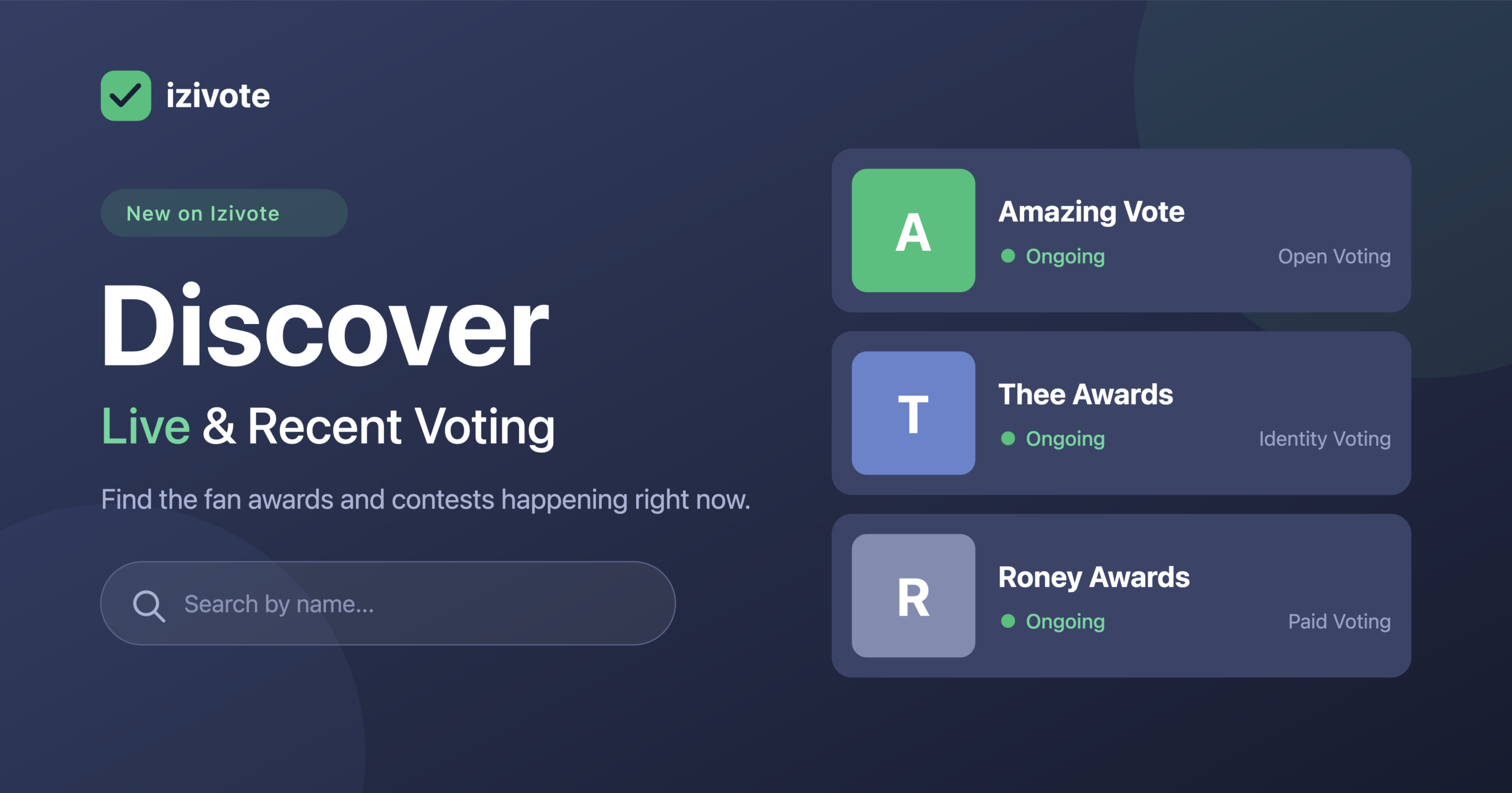
    Discover is your live map of everything worth voting on. Head to the new Discover tab in the top menu and you’ll land on a page showing fan awards and contests as they happen: the ongoing races you can still swing, plus recent ones that have just wrapped.

    Each campaign gets its own card with everything you need to decide in a glance. You’ll see the name, a status indicator that tells you whether voting is Ongoing or Closed, and the vote type, so you know exactly how to take part before you even click in. Looking for something specific? The search bar up top finds any campaign by name in a second.

    No accounts to dig through, no links to hunt for. Just open Discover and see what’s live.

    For fans and voters

    If you love backing your favourite, Discover is built for you.

    Instead of waiting for a link to find you, you can go looking. Browse what’s open right now, spot a contest that catches your eye, and cast your vote in a couple of taps, with the same fast, mobile-first experience Izivote is known for. And because recent votes stick around for a moment after they close, you can circle back to see how a race you followed ended up.

    It turns Izivote from a place you visit for one specific vote into a place you visit to find your next one.

    For organizers

    Here’s the part that matters if you’re the one running the show: Discover is free exposure.

    Until now, your campaign rose or fell on the reach of your own link. Now, every eligible vote you run can also be found by people browsing Discover, an audience that’s already on Izivote and already in the mood to vote. That’s more eyes, more participation, and more of the momentum that makes a fan vote feel alive. If you’re running paid voting, more discovery can mean more support flowing to your event, too.

    You don’t have to do anything differently. Keep sharing your link and embedding your vote on your own site like always. Discover simply adds another way for the right people to find you.

    Where to find it

    Discover is live now. You’ll see it in the main navigation, or you can go straight to izivote.com/discover. Give it a look, find a contest that speaks to you, and join in.

    And if browsing the action gives you an itch to run your own? That’s rather the point. Create your first vote free; it takes under five minutes, no credit card required, and before long, your campaign could be the one everyone’s discovering.

    Happy voting. Because on Izivote, voting is izi.

  • Get More Visibility with the Enhanced Voter Identity Experience

    Take control of exactly who votes — and see how they engage.

    Identity-based voting has always been one of Izivote’s most powerful features. Whether you’re running an awards ceremony, a corporate election, an academic competition, or an exclusive members’ poll, it lets you decide precisely which individuals are eligible to cast a ballot. No open links. No duplicate votes. No uninvited participants.

    Today we’re releasing a significant upgrade to how you manage those voters — making the experience faster, clearer, and more insightful than ever before.

    What is identity-based voting?

    When you create a vote page on Izivote, you choose the voting mode that suits your event. Identity-based voting means you supply a list of unique identifiers — one per eligible voter. Each identifier is shared privately with the individual it belongs to, and only someone who holds a valid identifier can cast a vote on your page.

    This is ideal for award shows and galas where only registered attendees should vote, staff recognition programmes restricted to your organization, member associations where voting rights belong to dues-paying members, and academic institutions limiting participation to enrolled students or faculty.

    What’s new

    The updated Voter Identities panel brings an easier way to search and filter your voter list instantly as you type, add voters one at a time or by pasting an entire list in one action, and remove individuals or groups in bulk when your attendee list changes.

    More meaningfully, you now have a live view of engagement. At a glance, you can see who has voted, who hasn’t, and — for multi-category ballots — how far through the ballot each voter has progressed. If someone has only voted in three of six categories, you’ll know, and you can follow up before voting closes.

    One thing worth noting for your voters: participation data only tells you that someone has voted and how many categories they engaged with — never who they voted for. Their choices remain entirely private. This is by design, and it’s fundamental to how Izivote maintains the integrity of every vote.

    Participation insights are available with any subscription plan. Free plan users retain full access to voter list management — adding, removing, and organizing identities.

    How to use it

    Open your vote page from the dashboard and navigate to Voter Identities in the side menu. Add identities one at a time or paste your full attendee list. Share each identifier privately with the corresponding person — by email, printed badge, QR code, or however suits your event. Once voting opens, return to this panel at any time to monitor participation.

    Izivote handles the rest.

    What this means for event organizers

    Running a fair, verifiable vote has never required a technical background on Izivote — and this update reinforces that. The new voter identities panel gives you the oversight of an enterprise polling tool without the complexity. Whether your event has 20 voters or 2,000, you have full visibility and control in one place.

    If you’re on a Free plan and want access to voter participation insights, upgrade your account to one of our plans.

  • The 2026 Oscars: Nominees, Records and What to Watch For in Hollywood’s Biggest Night

    The 2026 Oscars: Nominees, Records and What to Watch For in Hollywood’s Biggest Night

    The 98th Academy Awards are here, celebrating the finest films of 2025 at the Dolby Theatre at Ovation Hollywood. This year’s ceremony is one for the history books — Ryan Coogler’s Sinners leads with a record-breaking 16 nominations, the most ever in Oscar history, while Paul Thomas Anderson’s One Battle After Another follows with 13. The night also marks a historic first: Best Casting makes its debut as a brand new competitive category, the first new Oscar category since Best Animated Feature was introduced in 2001.

    Nominees were determined by the Academy’s global membership of over 11,000 film industry professionals spanning 19 branches, with members nominating within their own area of expertise.

    Host Your Own Voting Events with Izivote

    The Oscars are a reminder of how exciting a well-run voting event can be. That same energy is something anyone can bring to their own events — and that’s exactly what Izivote is built for.

    Izivote is an online voting platform that makes it simple for individuals, organisations, schools, and businesses to create and manage professional voting events. Whether you’re running an awards night, a talent competition, a club election, or a community poll, Izivote has you covered.

    Key features include multiple voting methods, real-time results, customisable voting periods, website embedding, and a responsive design that works seamlessly on any device. Best of all, it’s completely free to get started — no credit card required.

    Izivote makes every vote count, with transparency and trust at the core of every event it powers.

    Visit izivote.com to create your free account and launch your first event today.

    All 2026 Oscar Nominees by Category

    This year’s nominations span 24 categories, recognising excellence across every craft in filmmaking — from acting and directing to costume design, documentary storytelling, and international cinema. Sinners and One Battle After Another dominate the conversation, but there are compelling contenders in every category. Here is the full list of nominees for the 98th Academy Awards.

    Actor in a Leading Role

    • Timothée Chalamet — Marty Supreme
    • Leonardo DiCaprio — One Battle after Another
    • Ethan Hawke — Blue Moon
    • Michael B. Jordan — Sinners
    • Wagner Moura — The Secret Agent

    Actor in a Supporting Role

    • Benicio Del Toro — One Battle after Another
    • Jacob Elordi — Frankenstein
    • Delroy Lindo — Sinners
    • Sean Penn — One Battle after Another
    • Stellan Skarsgård — Sentimental Value

    Actress in a Leading Role

    • Jessie Buckley — Hamnet
    • Rose Byrne — If I Had Legs I’d Kick You
    • Kate Hudson — Song Sung Blue
    • Renate Reinsve — Sentimental Value
    • Emma Stone — Bugonia

    Actress in a Supporting Role

    • Elle Fanning — Sentimental Value
    • Inga Ibsdotter Lilleaas — Sentimental Value
    • Amy Madigan — Weapons
    • Wunmi Mosaku — Sinners
    • Teyana Taylor — One Battle after Another

    Animated Feature Film

    • Arco — Ugo Bienvenu, Félix de Givry, Sophie Mas and Natalie Portman
    • Elio — Madeline Sharafian, Domee Shi, Adrian Molina and Mary Alice Drumm
    • KPop Demon Hunters — Maggie Kang, Chris Appelhans and Michelle L.M. Wong
    • Little Amélie or the Character of Rain — Maïlys Vallade, Liane-Cho Han, Nidia Santiago and Henri Magalon
    • Zootopia 2 — Jared Bush, Byron Howard and Yvett Merino

    Animated Short Film

    • Butterfly — Florence Miailhe and Ron Dyens
    • Forevergreen — Nathan Engelhardt and Jeremy Spears
    • The Girl Who Cried Pearls — Chris Lavis and Maciek Szczerbowski
    • Retirement Plan — John Kelly and Andrew Freedman
    • The Three Sisters — Konstantin Bronzit

    Casting (New Category)

    • Hamnet — Nina Gold
    • Marty Supreme — Jennifer Venditti
    • One Battle after Another — Cassandra Kulukundis
    • The Secret Agent — Gabriel Domingues
    • Sinners — Francine Maisler

    Cinematography

    • Frankenstein — Dan Laustsen
    • Marty Supreme — Darius Khondji
    • One Battle after Another — Michael Bauman
    • Sinners — Autumn Durald Arkapaw
    • Train Dreams — Adolpho Veloso

    Costume Design

    • Avatar: Fire and Ash — Deborah L. Scott
    • Frankenstein — Kate Hawley
    • Hamnet — Malgosia Turzanska
    • Marty Supreme — Miyako Bellizzi
    • Sinners — Ruth E. Carter

    Directing

    • Hamnet — Chloé Zhao
    • Marty Supreme — Josh Safdie
    • One Battle after Another — Paul Thomas Anderson
    • Sentimental Value — Joachim Trier
    • Sinners — Ryan Coogler

    Documentary Feature Film

    • The Alabama Solution — Andrew Jarecki and Charlotte Kaufman
    • Come See Me in the Good Light — Ryan White, Jessica Hargrave, Tig Notaro and Stef Willen
    • Cutting through Rocks — Sara Khaki and Mohammadreza Eyni
    • Mr. Nobody against Putin — David Borenstein, Pavel Talankin, Helle Faber and Alžběta Karásková
    • The Perfect Neighbor — Geeta Gandbhir, Alisa Payne, Nikon Kwantu and Sam Bisbee

    Documentary Short Film

    • All the Empty Rooms — Joshua Seftel and Conall Jones
    • Armed Only with a Camera: The Life and Death of Brent Renaud — Craig Renaud and Juan Arredondo
    • Children No More: “Were and Are Gone” — Hilla Medalia and Sheila Nevins
    • The Devil Is Busy — Christalyn Hampton and Geeta Gandbhir
    • Perfectly a Strangeness — Alison McAlpine

    Film Editing

    • F1 — Stephen Mirrione
    • Marty Supreme — Ronald Bronstein and Josh Safdie
    • One Battle after Another — Andy Jurgensen
    • Sentimental Value — Olivier Bugge Coutté
    • Sinners — Michael P. Shawver

    International Feature Film

    • Brazil — The Secret Agent
    • France — It Was Just an Accident
    • Norway — Sentimental Value
    • Spain — Sirāt
    • Tunisia — The Voice of Hind Rajab

    Live Action Short Film

    • Butcher’s Stain — Meyer Levinson-Blount and Oron Caspi
    • A Friend of Dorothy — Lee Knight and James Dean
    • Jane Austen’s Period Drama — Julia Aks and Steve Pinder
    • The Singers — Sam A. Davis and Jack Piatt
    • Two People Exchanging Saliva — Alexandre Singh and Natalie Musteata

    Makeup and Hairstyling

    • Frankenstein — Mike Hill, Jordan Samuel and Cliona Furey
    • Kokuho — Kyoko Toyokawa, Naomi Hibino and Tadashi Nishimatsu
    • Sinners — Ken Diaz, Mike Fontaine and Shunika Terry
    • The Smashing Machine — Kazu Hiro, Glen Griffin and Bjoern Rehbein
    • The Ugly Stepsister — Thomas Foldberg and Anne Cathrine Sauerberg

    Music (Original Score)

    • Bugonia — Jerskin Fendrix
    • Frankenstein — Alexandre Desplat
    • Hamnet — Max Richter
    • One Battle after Another — Jonny Greenwood
    • Sinners — Ludwig Göransson

    Music (Original Song)

    • “Dear Me” from Diane Warren: Relentless — Music and Lyric by Diane Warren
    • “Golden” from KPop Demon Hunters — Music and Lyric by EJAE, Mark Sonnenblick, Joong Gyu Kwak, Yu Han Lee, Hee Dong Nam, Jeong Hoon Seo and Teddy Park
    • “I Lied To You” from Sinners — Music and Lyric by Raphael Saadiq and Ludwig Göransson
    • “Sweet Dreams Of Joy” from Viva Verdi! — Music and Lyric by Nicholas Pike
    • “Train Dreams” from Train Dreams — Music by Nick Cave and Bryce Dessner; Lyric by Nick Cave

    Best Picture

    • Bugonia — Ed Guiney & Andrew Lowe, Yorgos Lanthimos, Emma Stone and Lars Knudsen, Producers
    • F1 — Chad Oman, Brad Pitt, Dede Gardner, Jeremy Kleiner, Joseph Kosinski and Jerry Bruckheimer, Producers
    • Frankenstein — Guillermo del Toro, J. Miles Dale and Scott Stuber, Producers
    • Hamnet — Liza Marshall, Pippa Harris, Nicolas Gonda, Steven Spielberg and Sam Mendes, Producers
    • Marty Supreme — Eli Bush, Ronald Bronstein, Josh Safdie, Anthony Katagas and Timothée Chalamet, Producers
    • One Battle after Another — Adam Somner, Sara Murphy and Paul Thomas Anderson, Producers
    • The Secret Agent — Emilie Lesclaux, Producer
    • Sentimental Value — Maria Ekerhovd and Andrea Berentsen Ottmar, Producers
    • Sinners — Zinzi Coogler, Sev Ohanian and Ryan Coogler, Producers
    • Train Dreams — Marissa McMahon, Teddy Schwarzman, Will Janowitz, Ashley Schlaifer and Michael Heimler, Producers

    Production Design

    • Frankenstein — Production Design: Tamara Deverell; Set Decoration: Shane Vieau
    • Hamnet — Production Design: Fiona Crombie; Set Decoration: Alice Felton
    • Marty Supreme — Production Design: Jack Fisk; Set Decoration: Adam Willis
    • One Battle after Another — Production Design: Florencia Martin; Set Decoration: Anthony Carlino
    • Sinners — Production Design: Hannah Beachler; Set Decoration: Monique Champagne

    Sound

    • F1 — Gareth John, Al Nelson, Gwendolyn Yates Whittle, Gary A. Rizzo and Juan Peralta
    • Frankenstein — Greg Chapman, Nathan Robitaille, Nelson Ferreira, Christian Cooke and Brad Zoern
    • One Battle after Another — José Antonio García, Christopher Scarabosio and Tony Villaflor
    • Sinners — Chris Welcker, Benjamin A. Burtt, Felipe Pacheco, Brandon Proctor and Steve Boeddeker
    • Sirāt — Amanda Villavieja, Laia Casanovas and Yasmina Praderas

    Visual Effects

    • Avatar: Fire and Ash — Joe Letteri, Richard Baneham, Eric Saindon and Daniel Barrett
    • F1 — Ryan Tudhope, Nicolas Chevallier, Robert Harrington and Keith Dawson
    • Jurassic World Rebirth — David Vickery, Stephen Aplin, Charmaine Chan and Neil Corbould
    • The Lost Bus — Charlie Noble, David Zaretti, Russell Bowen and Brandon K. McLaughlin
    • Sinners — Michael Ralla, Espen Nordahl, Guido Wolter and Donnie Dean

    Writing (Adapted Screenplay)

    • Bugonia — Screenplay by Will Tracy
    • Frankenstein — Written for the Screen by Guillermo del Toro
    • Hamnet — Screenplay by Chloé Zhao & Maggie O’Farrell
    • One Battle after Another — Written by Paul Thomas Anderson
    • Train Dreams — Screenplay by Clint Bentley & Greg Kwedar

    Writing (Original Screenplay)

    • Blue Moon — Written by Robert Kaplow
    • It Was Just an Accident — Written by Jafar Panahi; Script collaborators: Nader Saïvar, Shadmehr Rastin, Mehdi Mahmoudian
    • Marty Supreme — Written by Ronald Bronstein & Josh Safdie
    • Sentimental Value — Written by Eskil Vogt, Joachim Trier
    • Sinners — Written by Ryan Coogler
  • No More Manual Monitoring: How Izivote’s Auto-Close Feature Takes the Stress Out of Voting Deadlines

    Manually tracking and adjusting voting start and end times is a time-consuming process, particularly for events with many voters or multiple voting rounds. Without automation, it’s easy to miss deadlines, set incorrect timeframes, or forget to send timely reminders, which can cause confusion, undermine the credibility of the vote and frustrate participants.

    That’s where Izivote’s auto-close feature transforms how voting deadlines are managed. Organizers can set a precise deadline for their voting event, and the system automatically closes the voting once the deadline is reached, no manual effort required. To enhance this process further, the newly added countdown timer provides participants with a clear visual of the remaining time, building anticipation and ensuring everyone stays informed. Together, these features remove the need for constant monitoring, delivering a seamless and timely voting experience.

    Here’s how it works:

    Set End Time: During event setup, organizers can specify the exact end time for voting, ensuring the voting period aligns with the event’s schedule. This level of control helps eliminate confusion by clearly defining when voting ends, allowing for a smooth and organized process.

    Automatic Closure: At the designated end time, Izivote automatically locks the voting page, ensuring that no further submissions can be made. This seamless process removes the risk of any votes being cast after the deadline has passed, maintaining the integrity of the voting event. With this feature, organizers can be confident that the voting period is adhered to strictly, without the need for manual intervention or last-minute adjustments.

    Countdown Timer: The newly added countdown timer enhances the voting experience by giving participants a real-time view of how much time is left to cast their votes. This feature not only keeps voters informed but also creates a sense of urgency, motivating them to act quickly before the deadline passes. By visually emphasizing the ticking clock, it drives higher engagement and ensures no one misses the opportunity to have their say, making the voting process both exciting and efficient.

    A seamlessly managed voting timeline reflects well on your event. The auto-close feature brings a touch of professionalism to your process, leaving participants with a positive impression and increasing the chances of engaging with future events. This functionality is especially valuable for events, contests, and surveys that depend on accurate and timely results.

    Incorporating an auto-close voting feature into your event ensures a smooth, efficient, and trustworthy experience for both organizers and participants. It’s a simple adjustment that makes a big impact on the success of your event!

    Looking to take your event to the next level? Get started with Izivote today!

  • New updates from 10 Nov 2018

    Izivote website has recently gone through a major update. The update presents bug fixes and more importantly the addition of several new features to the app. Some of these new features include

    • Two new vote types

    Anyone who has created a vote page on izivote would know izivote has two vote types (Open and Facebook) ever since izivote was launched, but due to requests from some users and analysis of the system, we decided to add two others, making a total of four different vote types to choose from for your vote page. The two added are Paid and Ticket.

    With the Paid vote type, you can set an amount to be paid per vote, this is a way to generate revenue for your awards. You can set any amount in either US Dollars or Nigerian Naira.

    With Ticket vote type you generate a list of tickets whereby only those with the tickets you added can vote. It is useful for office elections, class votes, etc, where everyone has a unique id known to them (e.g. staff number)

    • Online payment

    Online payment has been integrated to izivote hence you do not need to contact us to upgrade your account to pro or premium, you can simply upgrade your account by purchasing any of our plans in the pricing page

    • Nominee profile

    Having an izivote account now gives you more value because you can now create a nominee profile, upload your details and select categories you would be interested in, so you can be easily found by award organisers and have a higher chance of being nominated. In addition, it makes it easier for organisers to add nominees to their vote pages without having to source for information or type, nominees can be added with a click of a button.

    There a several other changes made to izivote, a lot on the invisible part of the system, to raise performance and serve you better.

  • New placement of vote button

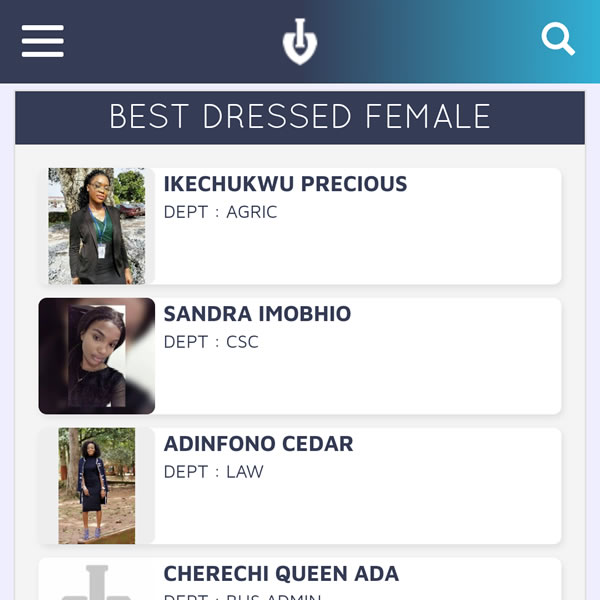
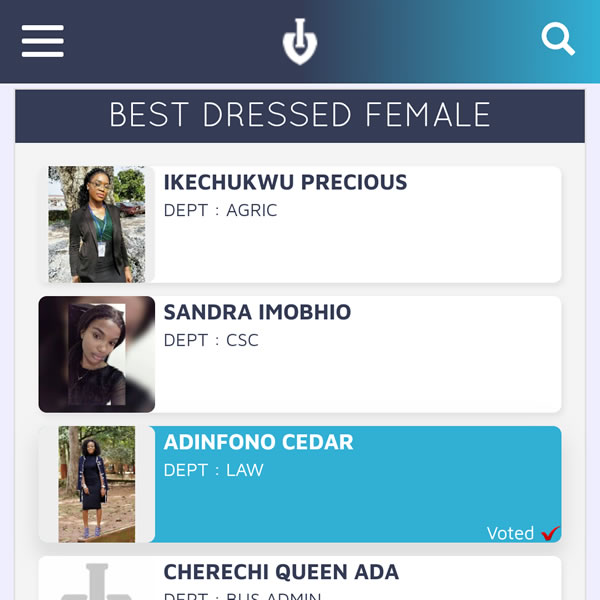
    We constantly ensure that voting done on our platform is as easy and stress-free as possible, that you can easily find nominees in their distinctive categories and making them obvious to find, or if not found, using Izivote Search would easily locate them regardless of the vote page they were nominated in, same applies to options in izivote polls. Although voting on izivote seemed simple enough, there were certain factors which strain voters a major one being the need of voters to scroll to the bottom of each category to login to vote (in the case of a vote page using the Facebook vote type), scrolling up back to select the nominee or option to be voted for and scrolling down back to the bottom of the category to click on vote, the procedure only gets worse in mobile devices which have lesser display viewport hence accommodating limited nominees on screen at a time, which increases the amount of scrolling required from the voter. Although this limitation seemed not to have stopped thousands of voters who regardless voted for their favorites, we saw a need for it to be improved (thanks to all users who contacted Izivote support). We decided to bring the login button and vote button closer to any nominee or option to be voted for, hence voting on izivote now takes the following steps:

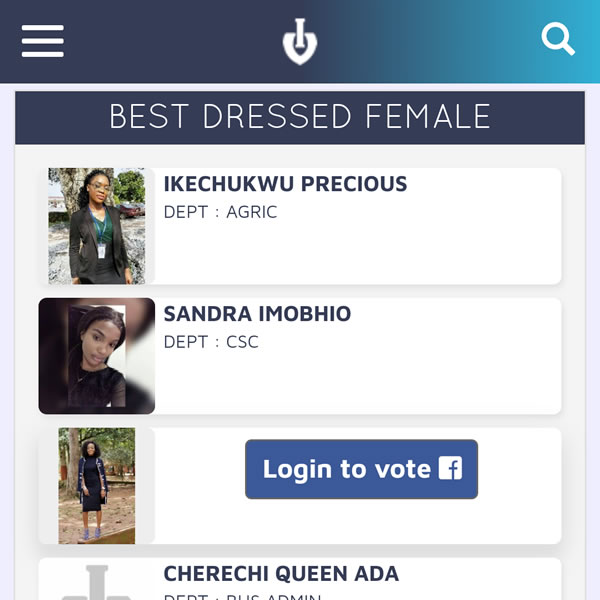
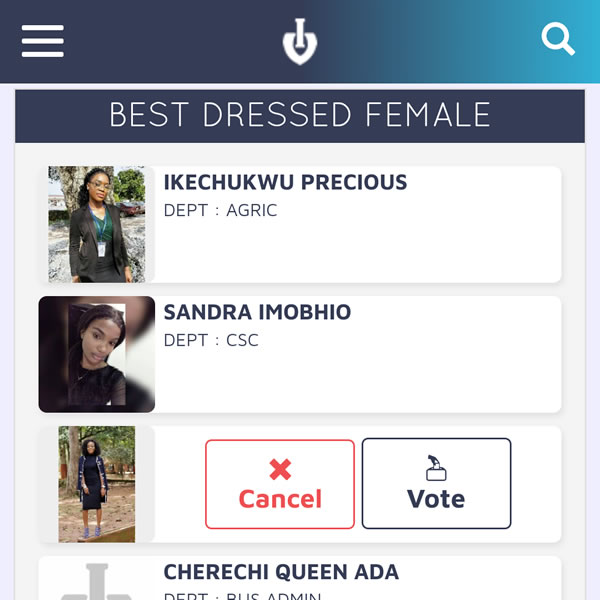
    1. Click on a nominee or option to be voted for, once that is done, the ‘login to vote’ button would be shown above the nominee if login is needed to vote, else the vote button along sides a cancel button would be displayed.
    1. If login is required, click on the ‘login to vote’ button and login appropriately.
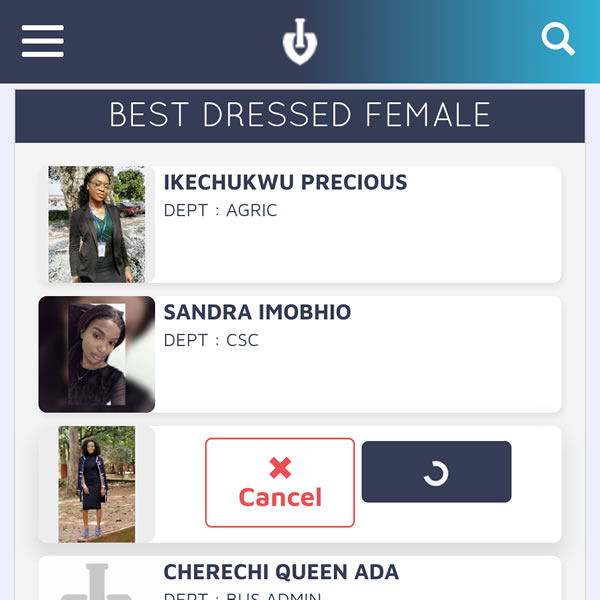
    1. If login is not required or if already logged in, the cancel and vote buttons would be displayed, click on the cancel button to cancel the vote process or click on vote button to vote for the selected nominee.
    1. Once the vote button is clicked, the vote would be sent and the voting process is completed.

    This doesn’t just reduce the amount of scrolling but it totally eliminates the need to scroll to vote a nominee or option once already in view, making it faster, easier and less stressful for anyone to vote.

    From the bottom of the screen to the left-bottom of each category and now just right in front of the nominee or option to be voted for, we have gradually but eventually made voting on Izivote easier. Move your votes or polls to izivote today and take advantage of our system to provide you what is needed to have a successful award vote or poll survey.

  • Izivote Optimization

    We are constantly making improvements to our system in order to give the best to our users. In as much as Izivote has new UI upgrades, we also pay attention to our background working codes, optimizing them to give faster results making you to accomplish more tasks faster. With the recent changes to our user interface (UI) on the account dashboard, we also made optimization to our system.

    Remember that you can be part of those making Izivote better for everyone. Send you suggestions for upgrades or report bugs to our support at [email protected] or chat with us live on our website.