
To collect nominations online, publish one clear entry page, ask only for the details you need to judge a nominee, keep the window open for about two weeks, and review every entry before anything goes to a vote. Whether you run a fan award, a school election or a community contest, the same five decisions decide how clean your shortlist is: the timeline, the form, the anti-duplicate rules, the review step and the handoff to voting.
This guide walks through each one with examples from real award and election programs, then shows how nominations feed a public vote.
Key Takeaways
- Run nominations first and voting second. Open nominations early, keep them open for roughly two weeks, and start voting only after they close.
- Ask for the minimum: nominator, nominee, category and a short reason. Every extra required field costs you entries.
- Cap duplicates and bots with one entry per person per category, verified email and a review step before publishing.
- Clean the list before voting: check completeness, merge duplicates and get each nominee to confirm.
- With Izivote you can allow self-nomination, show nominees with photos and profiles, and move straight into open, paid, login or identity-based voting.
Table of Contents
- Nominations and voting are two different jobs
- Step 1: Set the timeline before you build anything
- Step 2: Decide who can nominate
- Step 3: Build a short, clear nomination form
- Step 4: Make it work on a phone
- Step 5: Stop duplicates and fake entries
- Step 6: Review, merge and confirm the shortlist
- Step 7: Turn nominations into a public vote
- Choosing a tool for the whole process
- Run nominations and voting on Izivote
- A sample two-week nomination plan
- Common mistakes to avoid
- FAQ
- Sources
Nominations and voting are two different jobs
A nomination answers “who should be in the running?” A vote answers “who wins?” Mixing them is the most common reason award pages feel chaotic: voters see half-checked names, nominees pile up under spelling variations, and the winner is questioned afterward.
Treat them as two phases with a gate between them. Student election guidance from Cardiff Students states that the voting period should start after the nominations period closes, not at the same time, and suggests leaving nominations open for two weeks and keeping voting open for 5 to 7 days. That is written for campus elections, but the logic carries over to fan awards: a short, focused nomination window, then a short, focused vote.
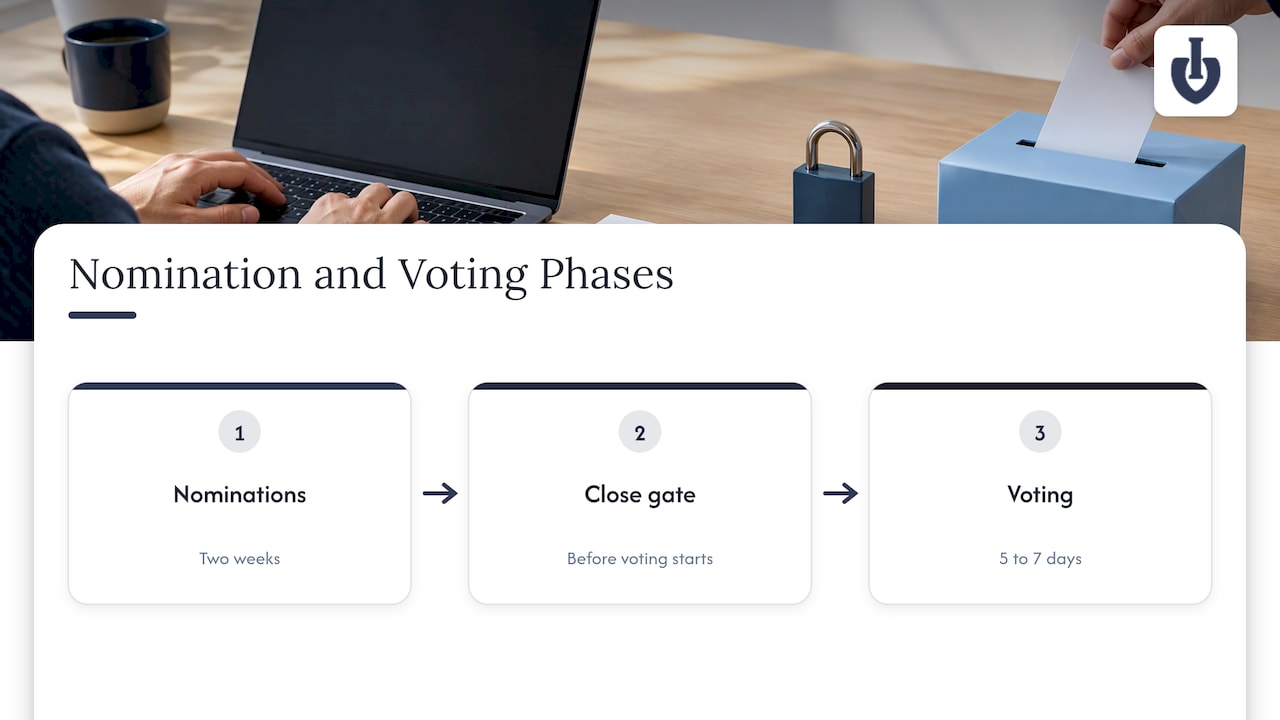
The Jenkins project’s board election walkthrough shows the same sequence in a different setting: an announcement, a nominations phase, a registration phase, then voting and results, each with its own dates.
Step 1: Set the timeline before you build anything
Write down five dates before you touch a form:
- Announcement: when the public hears about the award.
- Nominations open and close.
- Review and nominee confirmation.
- Voting open and close.
- Results announcement.
A workable pattern for a community or fan award looks like this:
| Phase | Typical length | What happens |
|---|---|---|
| Nominations | About 2 weeks | Public or members submit names and reasons |
| Review | 3 to 5 days | You check, merge and confirm nominees |
| Voting | 5 to 7 days | The public votes on the shortlist |
| Results | Same day voting closes | Winners announced |
These lengths follow the Cardiff Students guidance above; shrink or stretch them to fit your audience. Give the review phase real time. If you skip it, the cleanup lands in the middle of voting, when it is hardest to fix.
Don’t copy a calendar from another event. Pick dates that fit your own audience’s rhythm, and announce them everywhere you promote the award so nobody is surprised when the window closes.
Step 2: Decide who can nominate
There are three common models, and the choice shapes your form:
- Open public nominations. Anyone can suggest a name. Best for fan awards and people’s choice awards where reach matters. Expect the most duplicates.
- Member or login-only nominations. Only people with an account or membership can nominate. Best for associations, schools and employee programs.
- Self-nomination. Nominees put themselves forward. Best for creators, local businesses, pageants and contests where nominees want the exposure.
You can mix them. A pageant might allow self-nomination for contestants, while a “best local business” award might let the public nominate and then ask each business to confirm. Izivote supports self-nomination, so contestants can submit their own entries, and you can pair it with the voting mode that matches your audience.
Step 3: Build a short, clear nomination form
A nomination form should feel like a two-minute task. Real programs show a wide range, though, and the right length depends on how formal the award is.
At the heavy end, the UK government’s page on nominating someone for an honour or award asks for the nominee’s details, a detailed description of why they are being nominated, relevant work or volunteering, and two supporting letters. The Wisconsin Library Association’s Library of the Year form asks for nominator and nominee information, three letters of support and five narrative answers of 250 words or fewer. The 2025 UN SDG Action Awards changemaker guidance asks for a bio of up to 200 words, a headshot of at least 1000 by 1000 pixels and short answers on impact and scalability.
Those are juried honors. For a fan or people’s choice award, where the public decides the winner, you need far less.
The core fields
- Nominator name and email (so you can verify and follow up).
- Nominee name, spelled as it should appear on the ballot.
- Category.
- One to three sentences on why they deserve it.
- Nominee contact, if the nominator knows it, so you can ask for acceptance.
Fields worth adding for a ballot
- A photo upload, since voters respond to faces and logos.
- A short bio or description for the nominee profile.
- A link to the nominee’s website or social page.
If you use narrative fields, state the word limit directly above the box. LegalClarity’s nomination form guidance suggests a limit around 500 words for formal programs and limiting uploads to common formats such as PDF or DOCX with a sensible size cap. For a public award, 50 to 100 words is plenty.
One more field matters when judges or committees are involved: a conflict-of-interest question. The same guidance recommends asking nominators to disclose family ties, shared financial interests or overlapping memberships with the nominee. For a pure fan vote you can skip it. For an industry award with a panel, it protects your credibility.
Write the form like a person
Use plain labels (“Who are you nominating?”), show an example under the category field, and tell people what happens next: “We’ll review nominations, then open voting on the shortlist.” A short confirmation message after submission reduces repeat entries from people who weren’t sure it went through.
Step 4: Make it work on a phone
Most people will nominate from a phone, usually after seeing your post on social media. A form that needs pinching and zooming loses them.
Government design guidance for mobile services recommends touch targets of at least 48 by 48 pixels, with space between tappable elements and the main action placed in the lower part of the screen where a thumb reaches it. Apply that to your submit button and dropdowns.
A few practical checks:
- One column, no side-by-side fields.
- Large submit button, fixed label like “Submit nomination”.
- Photo upload that works from the camera roll.
- Page loads quickly on mobile data.
- Readable contrast and labels that stay visible while typing.
If you also embed the page on your own site, why responsive design matters applies to your hosting page as well: the form can be perfect and still frustrate people if the page around it isn’t built for small screens. For the voting side, our guide on award voting page design covers layout, trust and mobile tips.
Step 5: Stop duplicates and fake entries
Open nominations attract two kinds of noise: honest duplicates (ten people nominate the same bakery, spelled four ways) and dishonest entries (a nominee’s friends or a script flooding the form).
Real award rules show what organizers do about it. The SXMA Awards terms, for example, require verified accounts and allow one nomination per user per category, prohibit bots, scripts and VPN identity manipulation, and permit automated and manual fraud checks. The same notice explains what data they process for anti-fraud purposes, such as email, verification status and IP address, and how long raw voting data is kept.
You can borrow the approach:
- Limit entries. One nomination per person per category is the simplest rule.
- Verify the nominator. Email confirmation or a login filters out most throwaway submissions.
- Add bot protection. A CAPTCHA or hidden honeypot field on the form is enough for most community awards.
- Review before publishing. Don’t let raw submissions go straight onto the public ballot.
- Tell people what you collect. Add a short note on the form saying what personal information you gather, why, who sees it and how long you keep it. LegalClarity’s form guidance recommends this, and it matters most when your audience includes people in regions with privacy laws. If you handle sensitive data, ask a qualified privacy lawyer which rules apply to you.
For the voting phase, Izivote offers several voting types and voter identity options, and a walkthrough of login-based voting shows how to require an account when the stakes are higher.
Step 6: Review, merge and confirm the shortlist
Raw nominations are not a ballot. Before voting opens, do a pass that covers four things:
- Completeness. Does each entry have a name, category and reason?
- Eligibility. Does the nominee fit the category and your rules?
- Duplicates. Merge variations of the same name into one entry, and count them as a signal of popularity.
- Acceptance. Ask nominees to confirm they want to be listed.
The CMX Community Industry Awards team describes a similar routine: they check that nominations are complete and fit the category, combine nominations for the same person or community, and require nominees to accept by the due date to advance to voting.
A simple way to work: export submissions into a spreadsheet, add a status column (approved, merged, rejected, awaiting confirmation) and a column for the final display name. Keep a note of why anything was rejected in case someone asks.
How many finalists per category?
Five to ten is a comfortable range for a public ballot. Fewer than three feels uncompetitive, and a list of thirty makes people leave without voting. If you receive far more worthy names than that, use nomination counts to cut the list, or run a quick judge pass for the final slots.
Step 7: Turn nominations into a public vote
Once the shortlist is confirmed, build the ballot. This is where nominee photos and short profiles do their work: voters rarely read long descriptions, but they will notice a clear image and a one-line story.
With Izivote, you set up categories, add nominees with photos and profiles, choose how people may vote, and publish a voting page you can share or embed on your own site. Voting can close automatically at the time you set, and you can watch results as they arrive through real-time vote monitoring.
Choose the voting mode based on your goals:
| Goal | Fits best |
|---|---|
| Maximum reach and quick participation | Open voting |
| Fundraising for the event or a cause | Paid voting |
| Members, students or staff only | Login-based voting |
| Tighter control over who counts | Identity-based voting |
If you’re deciding between the first two, our comparison of open voting versus paid voting goes into the trade-offs, and the full process is laid out in how to run award show voting.
Choosing a tool for the whole process
Tools for this job fall into a few types, and each suits a different event.
- General form builders. Good for collecting entries quickly, but voting and public results usually need a separate solution.
- Judged awards-management software. Built for panels, scoring and corporate or association programs, often with heavier setup.
- Dedicated audience voting platforms. Built for public votes, live results and nominee pages.
Before choosing, ask:
- Can the public see nominee profiles with photos?
- Can you choose between open, paid, login and identity-based voting?
- Does it close voting automatically?
- Can you embed the page on your own site?
- Do you get live analytics, not only a final tally?
- Is there a free tier so you can set up a small event without a budget?
For public fan and people’s choice awards, a dedicated voting platform keeps nominees and votes in one place. Our pages on people’s choice awards and fan awards show how that works for each kind of event.
Run nominations and voting on Izivote
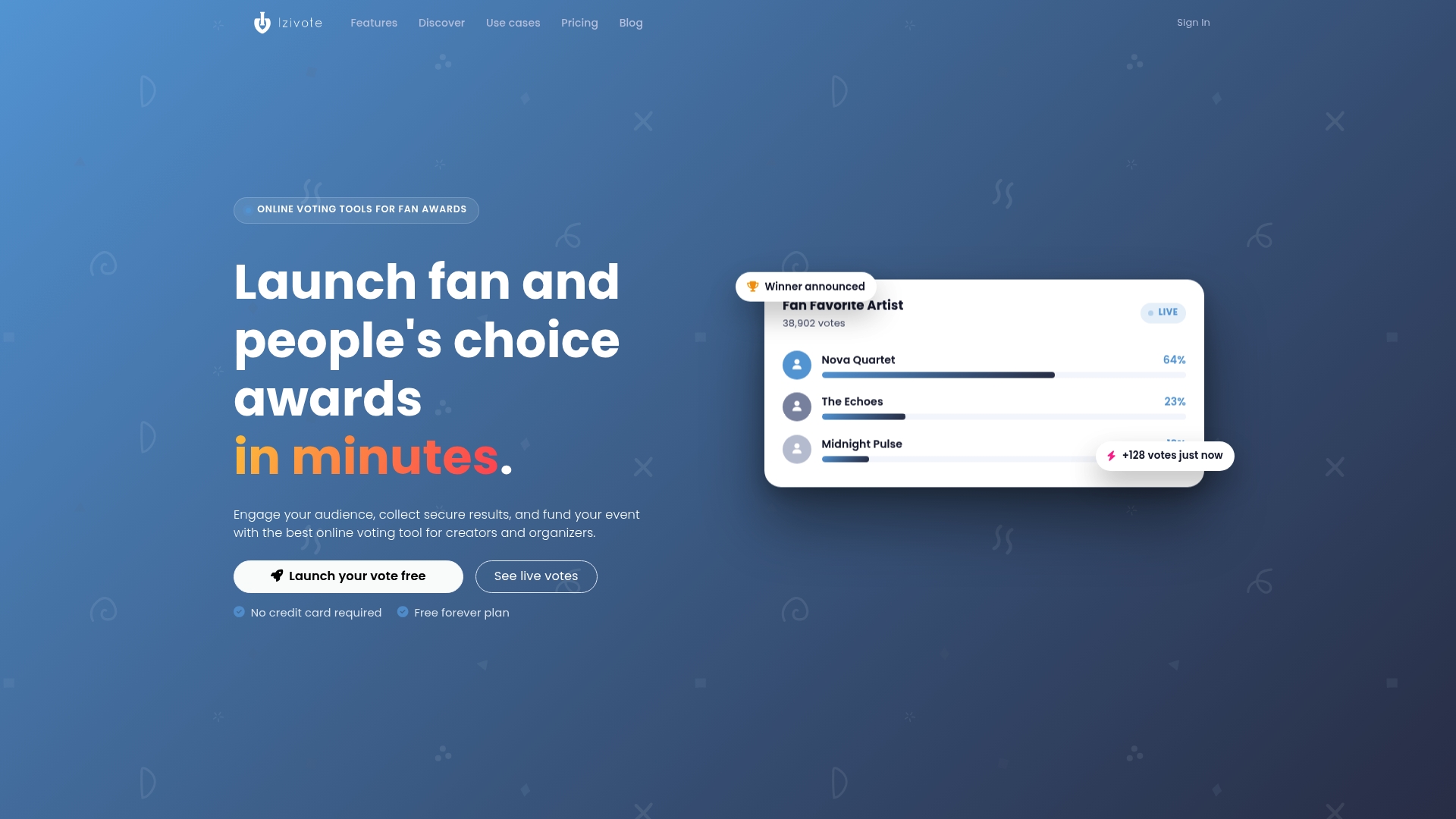
Izivote is built for public audience awards: you can launch a voting page fast from the web, allow self-nomination, present nominees with photos and profiles, and choose open, paid, login or identity-based voting. Results show live on a dashboard, and voting can close automatically.
The Free plan covers small events. Pro costs $6 per month or $60 per year, and Premium costs $14 per month or $140 per year. If you run paid voting, the platform fee is 10% per vote. See the pricing page for what each plan includes, or create a vote for free and set up your categories today.
A sample two-week nomination plan
Here is how the pieces fit for a local “best of the year” fan award:
- Day 1: Announce the award, categories and dates on social media and your site. Open the form.
- Days 2 to 7: Share a category spotlight each day. Post a running reminder that anyone can nominate.
- Day 8: Midpoint push, tagging businesses or creators who already have several nominations.
- Days 9 to 13: Final reminders. Tell nominees you will contact them for confirmation.
- Day 14: Close the form.
- Days 15 to 18: Review, merge duplicates, confirm nominees and gather photos and short bios.
- Day 19: Publish the ballot and open voting for a week.
When nominees are told early that they are in the running, many share the voting link with their own followers, which brings in voters you could not reach alone.
Common mistakes to avoid
- Opening voting while nominations are still coming in. Late entrants start behind, and people complain.
- Asking for too much. Long forms suit juried honors, not public awards.
- Skipping the review. Typos and duplicates make the ballot look careless.
- No confirmation from nominees. You may list someone who doesn’t want to take part.
- Unclear rules. Say who can nominate, how many times and what disqualifies an entry.
FAQ
How long should nominations stay open?
Two weeks is a good default for most public awards and campus-style elections, based on student election guidance. Shorter windows can work for small communities that respond quickly. Longer ones tend to lose momentum.
Can nominees nominate themselves?
Yes, if you decide to allow it. Self-nomination suits creators, pageant contestants and small businesses, and Izivote supports it. Add an eligibility rule and a review step so you can check each entry before it appears on the ballot.
What information should a nomination form ask for?
At minimum: nominator name and email, nominee name, category and a short reason. Add a photo and short bio if the nominee will appear on a public ballot. Formal honors ask for much more, such as letters of support, but a fan award does not need them.
How do I stop one person from nominating the same entry many times?
Limit each person to one nomination per category, verify the nominator by email or login, and add basic bot protection to the form. Then merge variations of the same name during review, so repeat suggestions strengthen one entry instead of creating several.
Can I move from nominations straight to voting?
Yes. Once you have approved and confirmed the shortlist, add the finalists to your voting page with photos and profiles, choose the voting mode, and set the closing time. The voting phase should start after nominations close.
Sources
- So you want to run an election? (Cardiff Students)
- Board and Officer election walkthrough (Jenkins)
- Nominate someone for an honour or award (GOV.UK)
- Library of the Year nomination form questions (Wisconsin Library Association)
- Changemaker Award self-nomination guidance (UN SDG Action Awards)
- Nomination form template: fields, scoring and compliance (LegalClarity)
- The thumb-driven democracy: designing government services for mobile-first citizens (UAE Design System)
- SXMA Awards terms and conditions and data protection notice
- Community Industry Awards scoring process (CMX)
- Importance of responsive design for SEO success
Leave a Reply