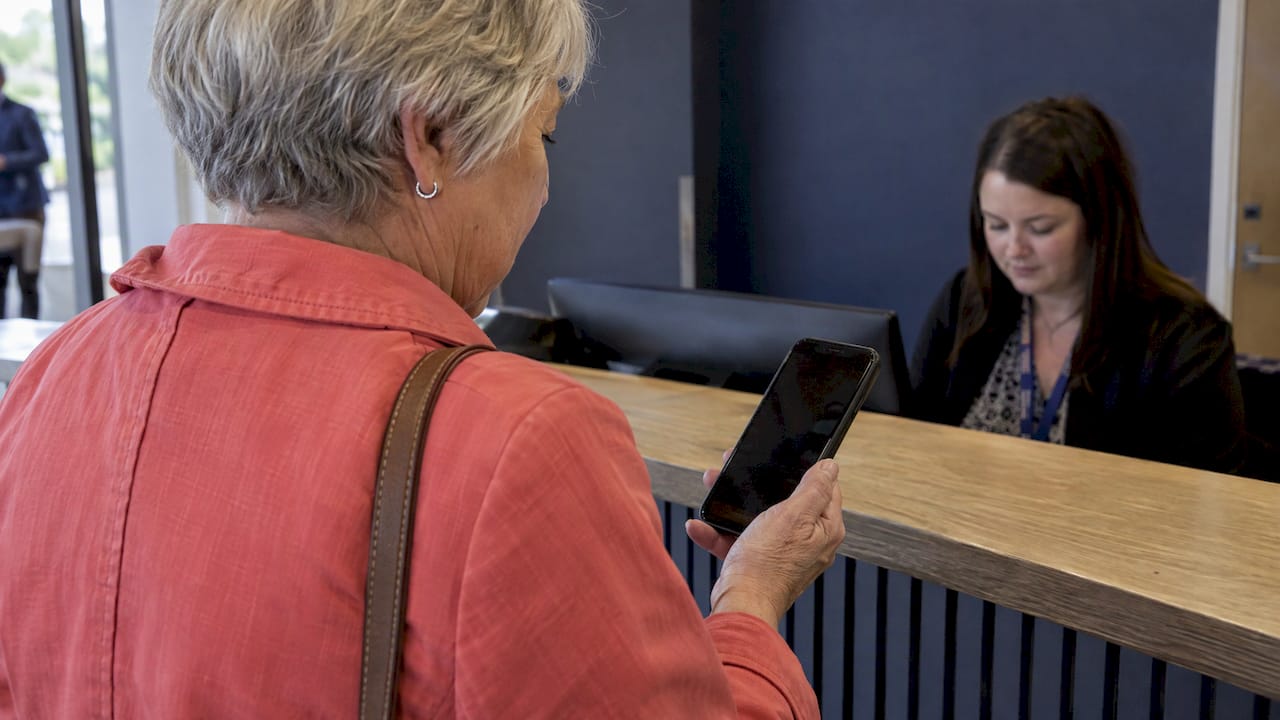
SMS verification in online voting means a voter enters a phone number, receives a one-time code by text, and types it in before the ballot opens. It ties each vote to a working phone number, which makes casual duplicate voting harder. It does not prove who the person is, and it has known weak points such as SIM swapping. This guide explains how the process works, what it protects against, how to run it well and which alternatives fit different kinds of votes.
Key Takeaways
- An SMS one-time password (OTP) confirms that a voter can receive texts at a given number. It limits repeat voting, but it is not a full identity check.
- The method suits fan awards, community polls and school votes, where the goal is fair, one-person-one-vote results at low risk.
- Official US guidance says text-message codes can be hijacked through SIM swapping. Rate limits, clear consent and a backup path for voters reduce that exposure.
- Test the full voter journey before launch, including delayed codes, wrong numbers and mobile screens.
- Match the verification method to what is at stake. A public fan award needs different controls than a board election.
Table of Contents
- What SMS verification in voting actually is
- Why organizers use phone verification
- How to set up an SMS-verified vote
- What SMS verification protects against, and what it leaves open
- Protecting voters’ phone numbers
- When the code does not arrive
- Testing before you launch
- Choosing the right method for your event
- Run your vote on Izivote
- FAQ
- Sources
What SMS verification in voting actually is
An OTP is a code generated for a single login attempt. According to MDN’s security documentation, it can be sent by SMS and used to authenticate someone or to confirm their intentions. With SMS, the code goes to the cellphone number the person provided, and they enter it on the site to continue.
In a voting context, the flow usually looks like this:
- The voter opens the voting page and picks a nominee or category.
- The page asks for a mobile number.
- The system texts a short numeric code that expires after a few minutes.
- The voter types the code in.
- The system records the vote and links that verified number to the ballot so it cannot be reused for the same category.
The point is friction in the right place. Anyone can click a button a hundred times. Getting a hundred working phone numbers takes real effort, so the cost of ballot stuffing goes up.
What it proves and what it does not
A code proves that the voter had access to a phone line at that moment. It does not prove the voter’s name, age, residency or membership. For a people’s choice award, that is usually enough. For an election with an eligibility list, you need to check the number against a pre-registered roll, or use a stronger identity method.
Why organizers use phone verification
Organizers reach for SMS codes for three practical reasons.
Fewer duplicate votes. A verified number gives you one anchor per voter. Without it, a determined fan can vote from several browsers or clear cookies between votes.
Familiarity. Most voters have received a text code from a bank, delivery app or social network. There is nothing new to learn, which matters when you want a mobile voter to finish in under a minute.
Reach. Not every audience member has an email address they check often, but nearly everyone carries a phone. Text can reach people who ignore their inbox.
The tradeoff is cost and friction. Each text message costs money to send, and rates differ by country, as published OTP price lists show. Each extra step also loses some voters. That is why many organizers verify only where the stakes call for it.
How to set up an SMS-verified vote
The technical route depends on your tools, but the building blocks are the same.
The building blocks
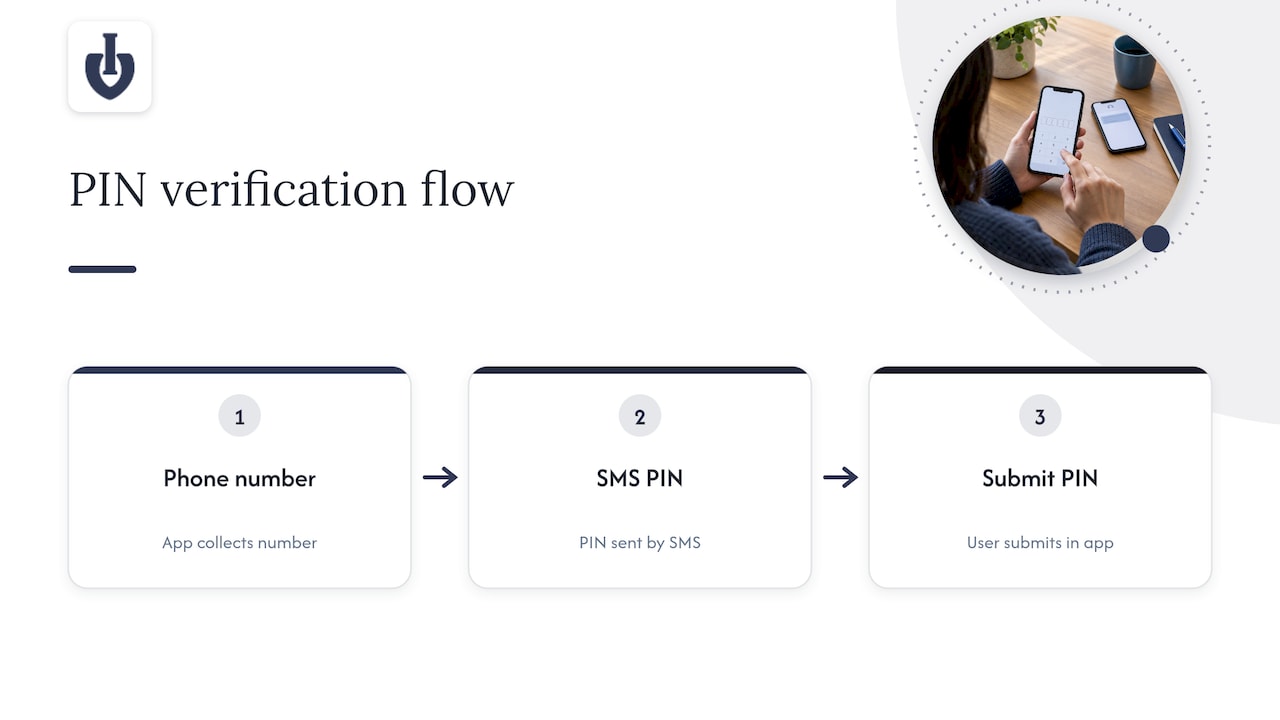
Developers building their own system can combine a phone authentication service with a messaging provider. One worked example from Twilio configures Supabase phone authentication with Twilio Verify: the app collects a phone number, a verification PIN is sent, and the user submits the PIN in the app.
Most organizers do not want to build and maintain that. If you run an award or contest, you need a voting platform that handles the ballot, the identity step and the results in one place. Izivote offers several voting types and voter identity options, so you can choose how strictly each vote page checks voters, from open voting to login-based and identity-based modes.
Settings that matter
Whatever tool you use, decide these points before you announce the vote:
- Code lifetime. Short enough to limit misuse, long enough for a voter on a slow connection. A few minutes is typical.
- Attempt limits. Cap how many codes one number or device can request, and how many wrong guesses are allowed. SMS 2FA guidance from a nonprofit-focused messaging guide recommends rate-limiting enrollment and OTP attempts and binding a verified phone number to a single user account.
- One number, one voter. Decide whether a number may vote once per poll, once per category or once per day.
- Message wording. Say who is sending the text and what the code is for. Never ask the voter to click a link inside the message.
What SMS verification protects against, and what it leaves open
Think of SMS codes as a speed bump, not a vault. They stop the easy abuse and leave the harder attacks, which is fine when you match the control to the stakes.
Risks it reduces
- Scripts and bots that submit votes without a phone number.
- Casual repeat voting from one device.
- Throwaway accounts with made-up details.
Risks that remain
France’s digital health agency warns that SMS codes can be intercepted over the telephone network or copied by malicious apps, and that SIM swapping is another weakness. In the US, the Federal Trade Commission explains that SIM-swap scammers can receive texted verification codes meant for the victim. It recommends an authenticator app or security key for stronger protection. The FTC also says that when text or email is the only option, it is better than nothing.
What this means for organizers: SMS verification is a sound control for audience awards and community polls, where an attacker gains little from hijacking a single voter’s number. For a high-stakes ballot such as a board election with binding results, add a pre-registered voter list and a second factor beyond a text message.
A practical risk ladder
| Type of vote | What is at stake | Reasonable verification |
|---|---|---|
| Public fan award | Bragging rights, audience engagement | Open voting with limits, or SMS or email codes |
| Paid voting for fundraising | Money changes hands | Payment checks plus verified contact details |
| Student council or club vote | Fairness within a known group | Login or identity-based voting against a list |
| Member or board election | Binding decisions | Pre-registered roll, stronger authentication, audit trail |
Protecting voters’ phone numbers
A phone number is personal data. Treat it that way from the first screen.
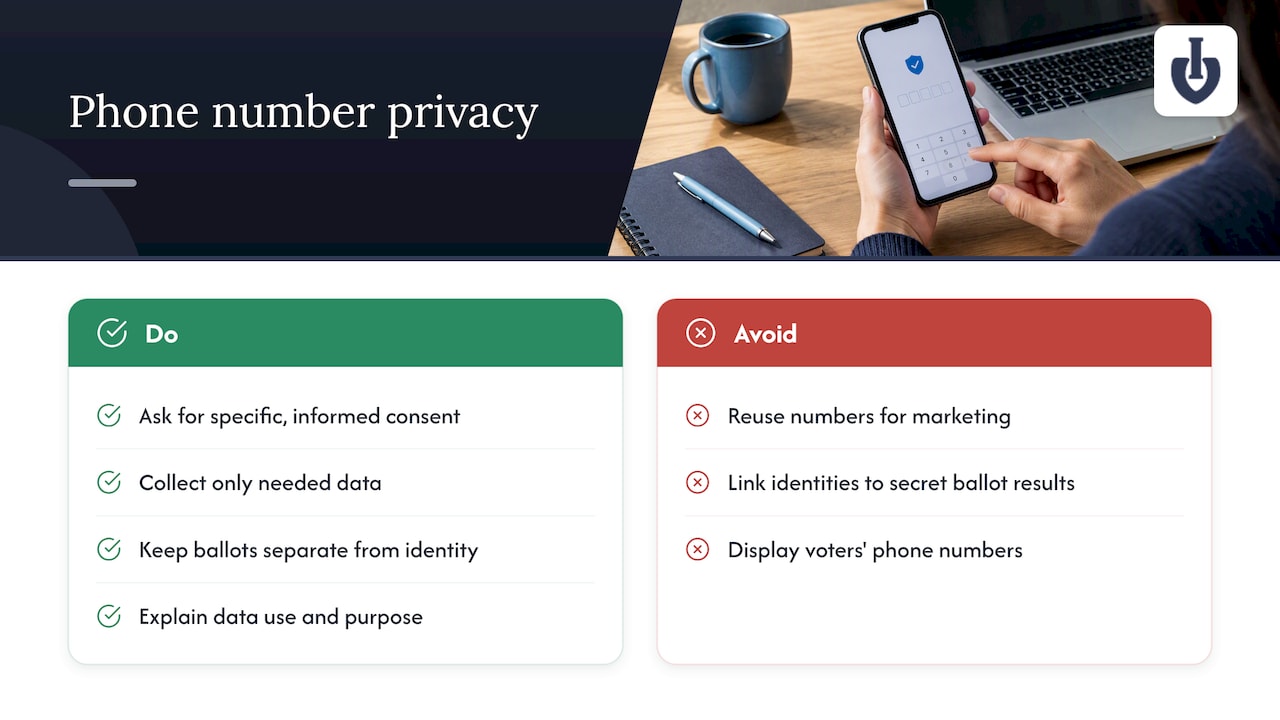
Ask for consent plainly. The W3C’s web application privacy guidance says active consent must be informed, freely given and specific, and that users should be able to cancel and know what data is being shared. In practice, that means a short line next to the phone field: the number is used only to send a verification code and to prevent duplicate votes.
Collect only what you need. If you need a number only to verify a vote, do not reuse it for marketing. A separate, optional checkbox is the honest way to ask for newsletter signups.
Keep ballots separate from identity. In secret ballots, an e-voting standard from Thailand’s electronic transactions agency says systems should avoid direct links between voter identity and vote results and remove indirect links before tallying. For a public award, votes are not secret, but the principle still applies to how you store and display data: show nominees and totals, never voters’ numbers.
Tell voters what happens to the data. Canada’s national standard for online voting says that, where authorization is granted, administrators must notify users about data collection, use and purposes. Even if your vote is not a municipal election, that is a good template for your privacy notice.
If you text US residents, also check your messaging provider’s rules and applicable consumer messaging law before launch, and ask your own counsel when the vote is tied to a regulated entity.
When the code does not arrive
Delayed or missing codes are the most common complaint in any SMS flow, and a voter who gets stuck usually just leaves. Plan for it.
On the voting page, show help right where the code is requested:
- A “Resend code” button that becomes active after about 30 to 60 seconds.
- A note that codes expire, and that only the newest code works.
- A way to correct a mistyped number without starting over.
Tell voters what to try:
- Check the number for typos, including the country code.
- Make sure the phone has signal and is not in airplane mode.
- Wait a minute, then request a new code. Using an old one will fail.
- Check whether the phone blocks messages from unknown senders or has filtered texts into a separate folder.
- Try a different method, if you offer one, such as email or a login.
That last point is the most important design choice. A backup path means a voter with a landline, a prepaid phone with no credit or poor coverage can still take part. Izivote’s guide on email verification voting covers how that approach works and when it fits.
Watch out for look-alike scams too. Election offices and consumer groups have warned about fake voting texts, and the Better Business Bureau advises people not to click links in unsolicited political texts. Your message should therefore never contain a link, and your announcement should tell voters that you will only ever text a code they requested.
Testing before you launch
A verified vote that fails on mobile is worse than an open one. Run through this checklist with real people before you go public.
- Test with every voter group. E-voting guidance from Thailand’s standards body calls for usability testing with all target voter groups and for administrators too. Ask a younger voter, an older voter and someone on a slow connection to complete a vote.
- Try both major phone platforms and at least two carriers.
- Request a code and wait. Note how long it takes and what the message looks like.
- Try to cheat. Attempt a second vote with the same number, a wrong code several times and a request for many codes. Confirm that limits kick in.
- Check the results screen. Verified votes should appear in your totals the way you expect, and nominee pages should display correctly.
- Read the voter’s view aloud. The same Thai standard says the verification process should be easily understood by non-technical users. If a friend needs you to explain a screen, rewrite it.
Live dashboards help once voting opens. Izivote’s piece on real-time vote monitoring shows what to watch for, such as sudden spikes that suggest abuse.
Choosing the right method for your event
SMS is one option among several. A good organizer picks the lightest control that still protects the result.
- Open voting works for casual polls. It is the fastest for voters, and it suits events where participation matters more than strict one-person-one-vote results.
- Paid voting turns fan enthusiasm into funds. Our paid voting setup handles payments, and the 10% platform fee applies to each paid vote. Read our comparison of open and paid voting to decide which fits.
- Login-based voting asks voters to sign in, which gives you accountability without a text message. See how login-based voting is set up.
- Identity-based voting collects details from each voter and is a good fit when you need to know who voted. Izivote also published a note on the enhanced voter identity experience.
Schools running ballots for student council can look at our student election use case. Clubs and neighborhood groups can start from community polls.
Run your vote on Izivote
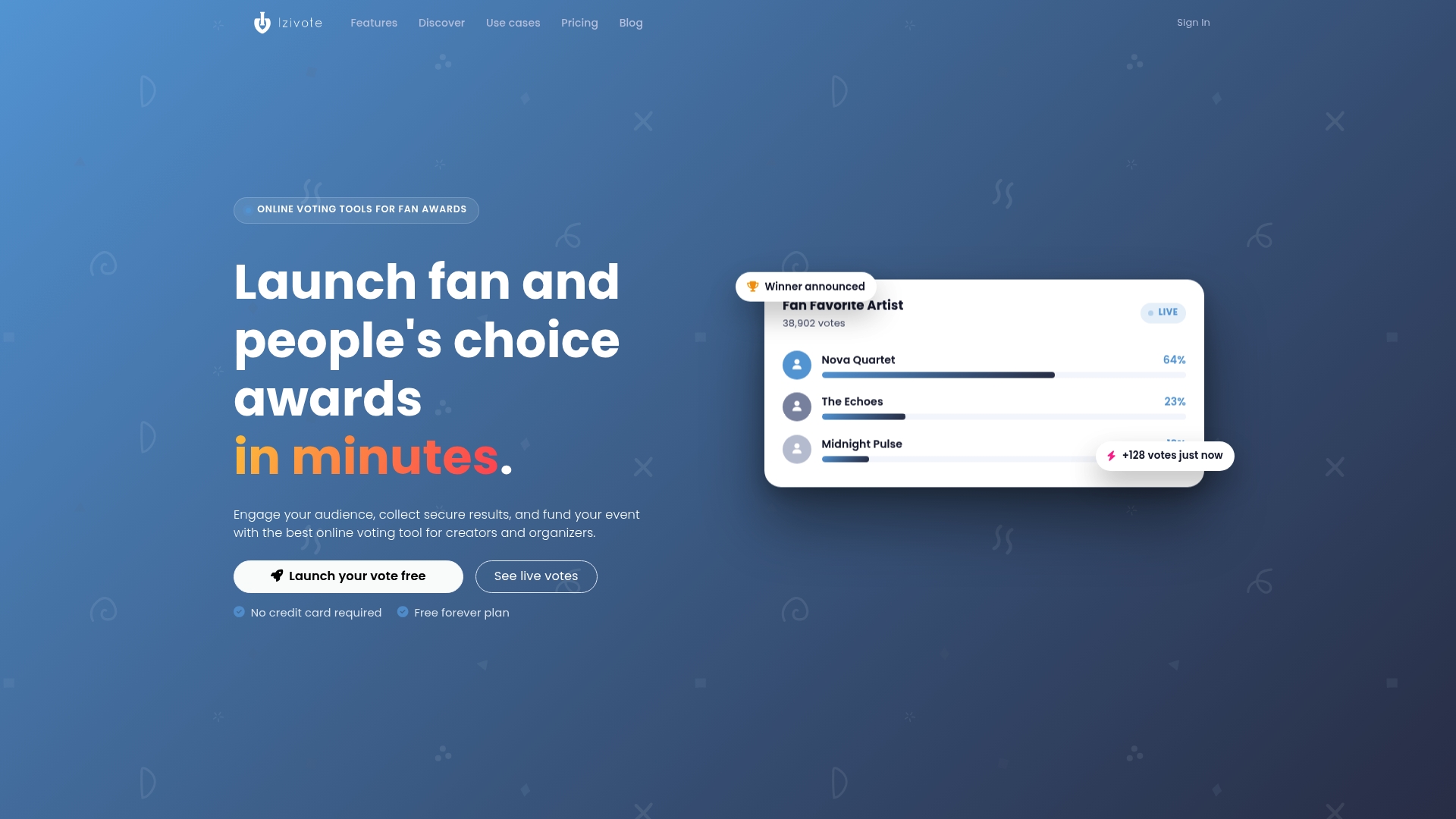
Izivote is built for audience awards and public polls. You can launch a vote page on your own, add nominee photos and profiles, choose between open, paid, login and identity-based voting, embed the page on your site and follow results live. Votes have been cast across 500+ events in 20+ countries.
The Free plan covers small events. Pro costs $6 per month or $60 per year, and Premium costs $14 per month or $140 per year. Paid voting carries a 10% platform fee per vote. See the details on the pricing page.
Ready to try it? Create a fan award or online vote and pick the voting type that fits your audience.
FAQ
Is SMS verification secure enough for a fan award?
For most public awards, yes. It raises the cost of repeat voting and blocks simple bots. Federal guidance notes that text codes can be attacked through SIM swapping, so for high-stakes elections add a pre-registered voter list and a stronger factor.
What is the difference between SMS verification and an OTP?
An OTP is the one-time code itself. SMS is just the channel that delivers it. The same kind of code can also come from an authenticator app or by email, which can be handy as a backup for voters who cannot receive texts.
How long should a verification code last?
Long enough for a voter on a slow connection to receive and type it, and short enough to limit misuse. A few minutes is a common choice. Make the expiry clear on screen and offer a resend button.
Do I need to store voters’ phone numbers?
Only as long as you need them to prevent duplicate votes and settle disputes. Tell voters why you collect the number, keep it out of public results and delete or anonymize it once the vote is certified.
Sources
- One-time passwords (OTP) – MDN Web Docs
- Build Scalable SMS Realtime Voting with Twilio, Supabase and Hookdeck
- Pourquoi l’OTP mail ou SMS n’est pas recommandé ? – Agence du Numérique en Santé
- SIM Swap Scams: How to Protect Yourself – FTC
- Use Two-Factor Authentication To Protect Your Accounts – FTC
- How to Implement SMS 2FA for Nonprofits – Mobile Text Alerts
- Web Application Privacy Best Practices – W3C
- National Standard of Online Voting – Canada
- E-voting self-assessment manual, version 2.0 – ETDA Thailand
- SMS Pricing USD – Zixflow
Leave a Reply