
Hide the totals while voting is open if the outcome matters more than the excitement. Show them live if the race itself is the entertainment and you have strong protection against gaming. Whichever you choose, tell voters before they vote when the result will be revealed, and announce it only after the votes have been collated and checked.
This guide is for people running fan awards, people’s choice awards, pageants, school elections and community contests. It explains what each choice does to your vote, how to decide, and how to set expectations so nobody feels cheated.
Key Takeaways
- Live totals add excitement, but the BBC’s audience-voting guidance warns that they can change the course of a vote, invite gaming and give bad actors a target list.
- Hidden totals reduce the bandwagon effect, where people follow the leader instead of voting for their own favorite.
- Pick the reveal moment first, then tell voters when, where and in what form the result will appear.
- Allow time between closing and announcing so votes can be collated and verified.
- Paid votes, public leaderboards and live screens each change the risk, so match your display choice to your voting mode.
Table of Contents
- What “Show or Hide Results” Means in an Online Vote
- The Case for Showing Results Live
- The Case for Hiding Results Until Voting Closes
- The Risks of Running Totals
- A Middle Path: Show Some Things, Not Others
- Match the Choice to Your Voting Mode
- How to Decide in Five Steps
- Leave Time Between the Close and the Announcement
- What to Tell Voters About When Results Appear
- Keeping Hidden Results Hidden
- Putting It Into Practice With Izivote
- FAQ
- Sources
What “Show or Hide Results” Means in an Online Vote
Every online vote has three moments when someone could see the numbers: before anyone votes, while voting is open, and after it closes. For each one you decide who sees what: only you, only voters after they cast a ballot, or everyone.
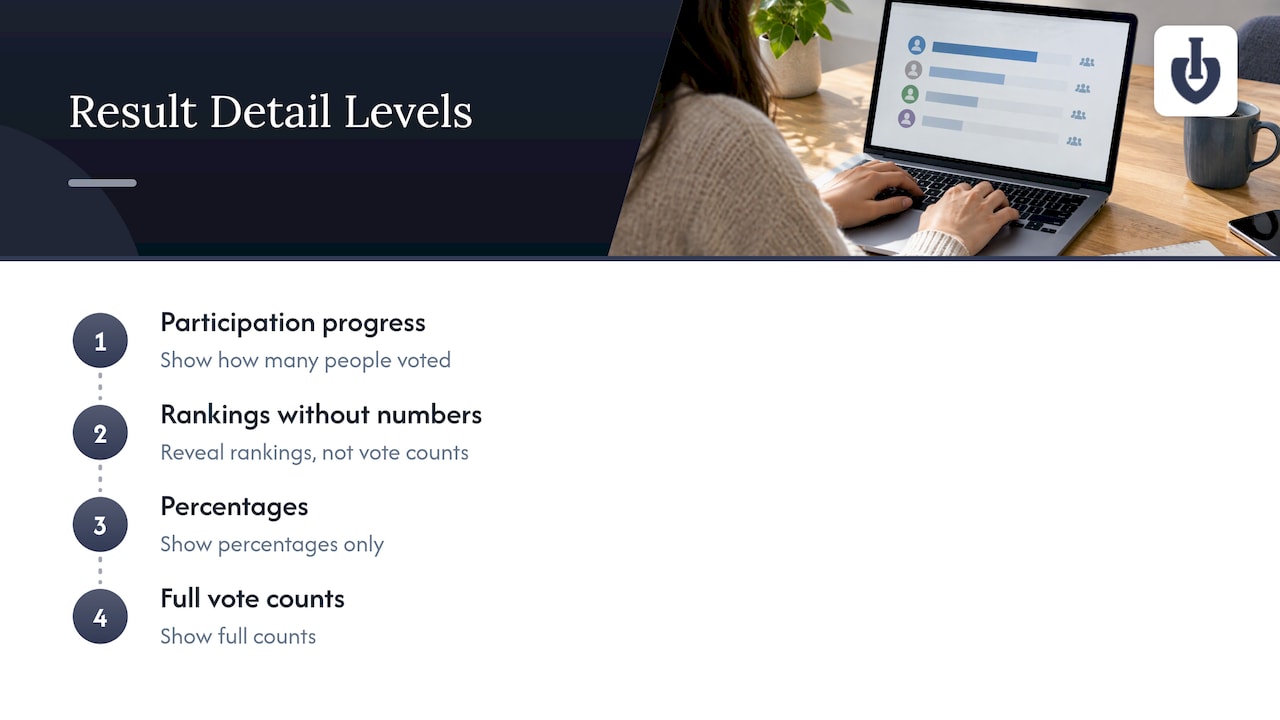
There are also different levels of detail. You can show full vote counts, percentages only, rankings without numbers, or just a progress indicator such as how many people have voted in total. Each reveals a different amount about the race.
These choices are not cosmetic. They shape how people behave, which makes them a design decision for the whole contest, not a setting to leave on default.
The Case for Showing Results Live
Live results turn a vote into a spectator event. Fans share their nominee’s page, watch the gap close and come back to vote again. For a fan award where participation and reach are the goal, that energy is the product.
The BBC’s editorial guidance on audience voting acknowledges this: running totals can add excitement to a vote. Live displays also work well at in-person events, where a big screen with climbing bars keeps a room engaged between acts.
Showing results suits you best when:
- The vote is open to everyone and the goal is buzz, not a rigorous verdict.
- Each nominee has a campaign of their own, and competition between fan bases is part of the fun.
- You have protections against repeat voting, such as login or identity-based voting.
- Your announcement of a winner is a formality, not a surprise.
Izivote’s setup is built around this style of event: real-time live public results and an organizer dashboard that tracks votes as they come in. If you want to show a leaderboard on stage, the guide on showing votes on screen at a live event walks through it.
The Case for Hiding Results Until Voting Closes
Hidden results protect the vote itself. When people can see who is ahead, some of them stop voting for the nominee they like and vote for whoever is winning, or give up because their favorite is far behind. Researchers and poll builders call this the bandwagon effect. Hiding the numbers means each ballot reflects a real preference.
The same logic drives confidential voting in other fields. A 2026 post from the Aragon team on encrypted voting explains that keeping tallies hidden during the voting period stops the evolving count from influencing later voters, with final totals revealed only once voting closes.
Hidden results suit you best when:
- The vote picks a winner who will receive a prize, a title or a scholarship, and the result must feel earned.
- Nominees are close in popularity and an early lead could snowball.
- Your audience is small, such as a school or a club, and a visible lead can embarrass or discourage nominees.
- You are worried about organized efforts to overtake a specific rival.
The Risks of Running Totals
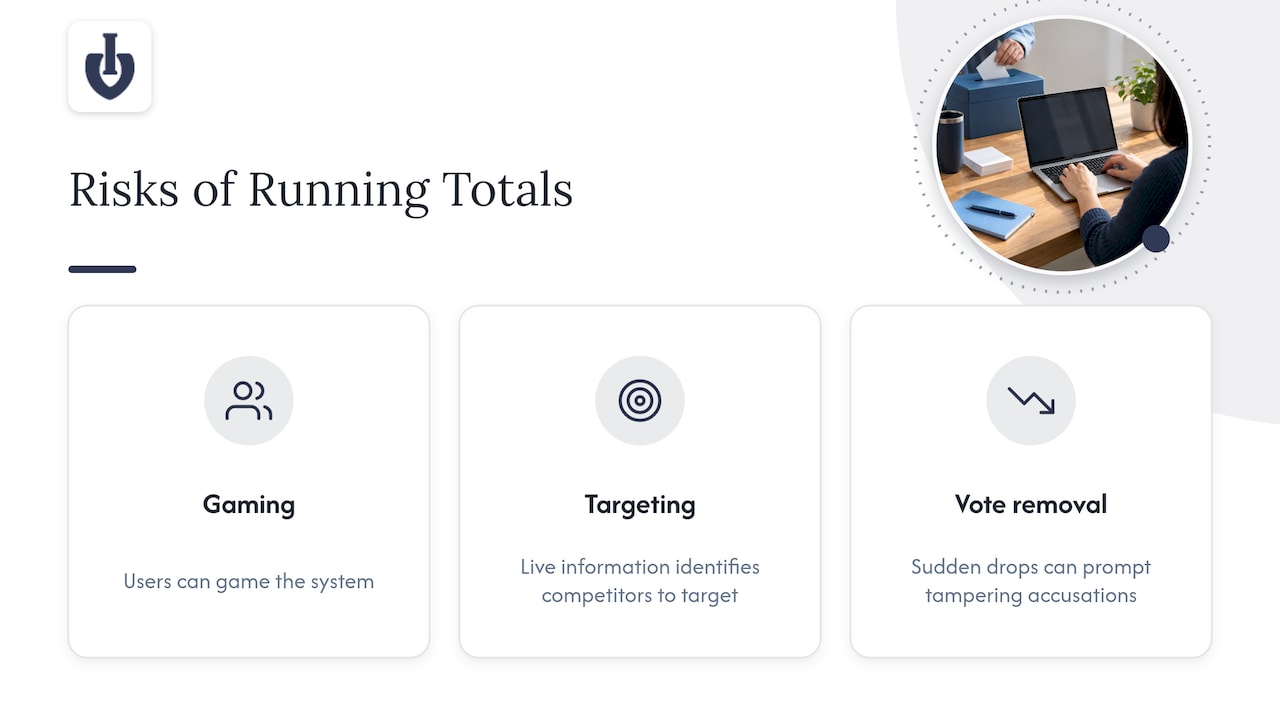
The BBC’s guidance is blunt about the downsides. Visible running totals can encourage users to game the system, give malicious users live information on which competitors to target, and make any later vote removal obvious as totals fall. The guidance says organizers should think “very carefully indeed” about whether to announce them.
That last point matters for every organizer. If you review votes for duplicates or suspicious patterns, removing them after the fact will show on a public scoreboard as a sudden drop. Nominees and fans will notice, and some will accuse you of tampering even when you did the right thing.
Anyone who has followed live win probabilities during a match knows how a moving number changes the way people read a contest and react to it. A public vote count works the same way: the figure becomes part of the story, and people act on it.
A quick comparison
| Question | Live totals | Hidden until close |
|---|---|---|
| Engagement during voting | High: fans watch and share the race | Lower: suspense comes from the final reveal |
| Bandwagon effect | Strong | Minimal |
| Targeting of rivals | Easier | Harder |
| Removing suspicious votes | Visible to everyone | Handled before anyone sees totals |
| Best for | Buzz-driven fan awards, live shows | Prize-bearing awards, close races, school and club votes |
A Middle Path: Show Some Things, Not Others
You do not have to pick all or nothing. Several hybrid approaches work in practice:
- Show participation, hide standings. Tell people how many votes have been cast overall without revealing who leads. This gives social proof without handing out a target list.
- Reveal in stages. Show a shortlist or top five at a midpoint, then keep the final order secret until the close.
- Show percentages, not counts. This hides the scale of the lead and makes small campaigns less visible, though it still reveals the order.
- Go live only for the final stretch. Open the scoreboard for the last day or on stage at the event, once the window for gaming has mostly closed.
- Separate the audience display from the organizer view. You can watch every vote on your dashboard while the public sees only what you choose to publish.
On Izivote, organizers monitor votes through a real-time analytics dashboard, so you always have the full picture even when you decide how much to put on public display. The feature rundown is on the features page.
Match the Choice to Your Voting Mode
How you collect votes changes how risky live totals are.
Open voting
When anyone can vote without signing in, live totals are the most exposed to manipulation. If you want to show results, pair them with controls against repeat ballots. The guide to preventing duplicate votes covers the options.
Login-based or identity-based voting
When voters must sign in or verify who they are, each person gets a controlled number of votes, which makes live totals safer. Login-based voting is a good fit for school elections and member votes, where hiding results is usually still the better choice because the stakes are personal.
Paid voting
Paid votes raise money, and they also raise the stakes. If a nominee’s supporters can see exactly how many votes they need to overtake a rival, they may spend more to do it. That can be good for fundraising, but organizers should decide on purpose and say so up front. Izivote supports paid voting with payment handling, with a platform fee of 10% per vote on paid transactions. The open versus paid voting comparison helps you choose which fits your awards.
How to Decide in Five Steps
- Define what the vote is for. If it decides a real award, lean toward hiding totals. If it is an engagement campaign, lean toward showing them.
- Look at your risk. Ask whether a determined group could swing the result, and whether anyone would profit from doing so. A higher risk points to hiding totals or using verified voting.
- Choose the reveal moment. Pick one of: never visible until the close, visible during voting, or staged. Write it down before you launch.
- Choose the level of detail. Counts, percentages, rank only, or a participation figure.
- Plan the gap before the announcement. Allow time for review before you publish the final result, as the next section explains.
Leave Time Between the Close and the Announcement
The BBC’s guidance states that enough time must be allowed between closing a vote and announcing the result so that votes can be collated and verified. This applies to a small community poll as much as to a broadcaster.
In practice, close voting at a fixed time, review the totals and any flagged votes, and only then reveal the winner. Automatic vote closing helps here because the cutoff is exact and not dependent on someone remembering to click a button. Izivote closes voting automatically, and the help article on publishing and opening voting explains how to set up when a vote begins.
The timing is also a matter of trust. A result announced instantly can look suspiciously convenient, while one announced after a short, explained review looks careful.
What to Tell Voters About When Results Appear
Most complaints about vote results come from surprise, not from the numbers. The fix is to set expectations in advance. Election administrators in the United States have spent years on this problem, and their guidance transfers well to awards and contests.
The U.S. Alliance for Election Excellence recommends proactively educating the public, candidates and media about when and where results will be reported, the difference between official and unofficial results, and when results will be final. The U.S. Election Assistance Commission advises similar steps in its best practices for election officials: say when results will be known, give estimated timing, and make clear that early results are unofficial until certified after a canvass and audit.
The Center for Civic Design’s tips for communicating election results recommend a visual timeline, previewing the milestones after voting ends, and telling voters when to check back for updates.
For an awards vote, that becomes a short notice on your voting page and in your emails:
- When voting opens and closes, including the time zone.
- Whether totals are visible during voting.
- When you will announce the winner, and where.
- Whether the result is provisional until you finish checking votes.
- What happens if you remove votes after review.
A good voting page puts this near the ballot, not buried in terms. For layout ideas, see the voting page design tips.
Keeping Hidden Results Hidden
Hiding totals on the public page is only half the job. You also need to control who can see them elsewhere.
- Limit who has organizer access. Share the dashboard only with the people who need it, and keep a short list.
- Avoid leaking through other channels. Screenshots of the dashboard in a team chat, social posts about “a close race” and embedded widgets that show counts can all reveal standings.
- Check what your embeds and screens display. If you place a voting page on your own site or a venue screen, confirm it shows what you intended before opening.
- Decide in advance who announces the winner. One named person or one scheduled moment reduces the chance of an early leak.
- Protect the ballot itself. Use voting types that fit the risk, such as login or identity-based voting, so the totals you finally reveal are ones you can stand behind. Voting types and voter identity is covered in the help center.
Putting It Into Practice With Izivote
Izivote is an online voting platform built for fan and people’s choice awards. You can launch a vote with self-serve web setup, offer open, paid, login or identity-based voting, add nominee photos and profiles, embed the voting page on your own site, and watch votes arrive in real time on your dashboard. Voting closes automatically at the time you set.
Plans start free for small events. Pro is $6 per month or $60 per year, and Premium is $14 per month or $140 per year. Paid voting carries a 10% platform fee per vote. Current details are on the pricing page.
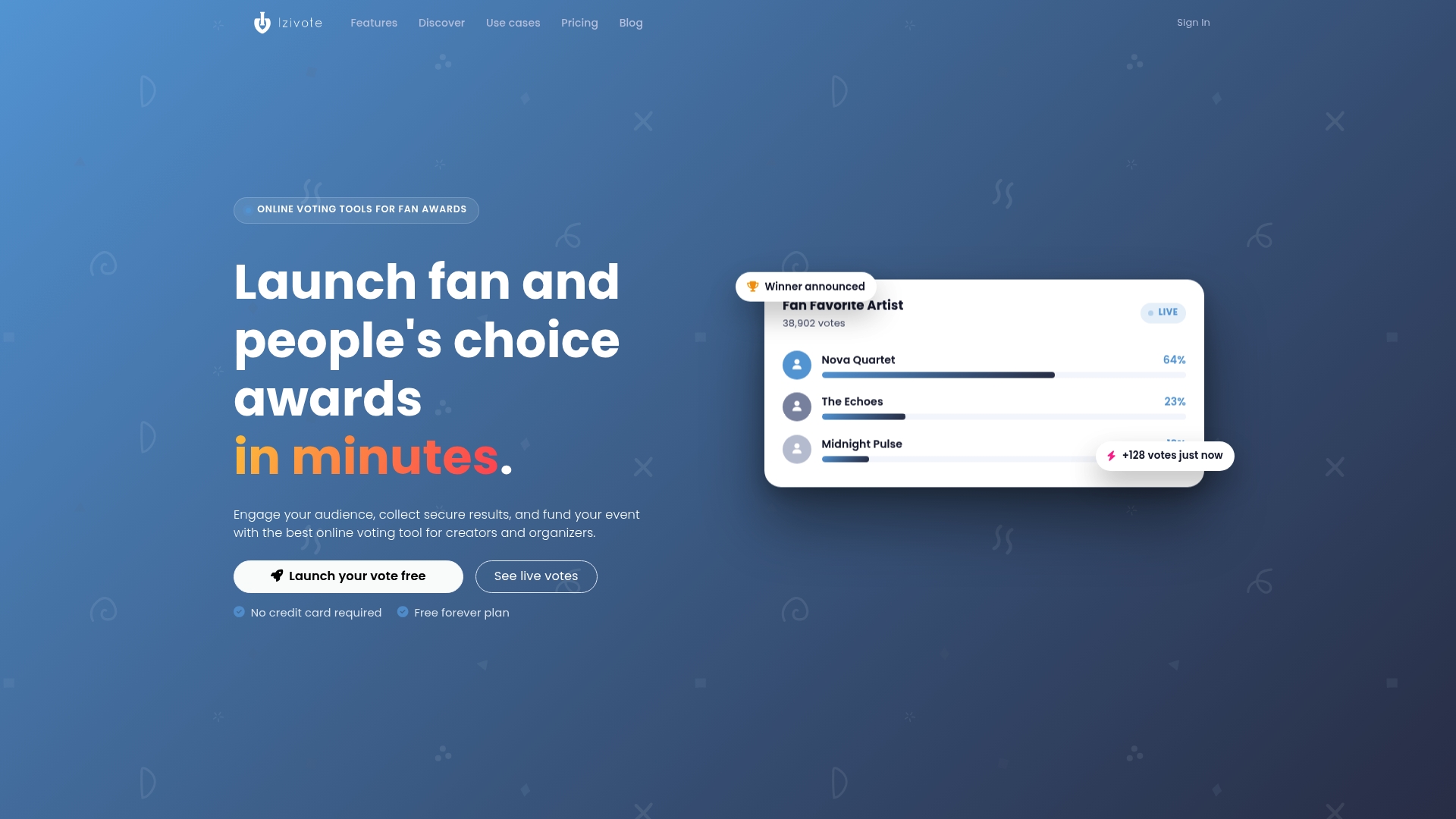
If you are planning an award, the people’s choice awards page shows how a public vote fits together, and you can create a vote to see how the setup works for your own event.
FAQ
Should I show vote totals while voting is open?
Show them if the goal is buzz and you have solid protection against repeat voting. Hide them if the vote decides a prize or the race is close. Live totals can add excitement but also invite gaming and give others a way to target competitors, according to the BBC’s audience-voting guidance.
When should results be revealed after voting closes?
After you have collated and checked the votes, at a time you announced in advance. The BBC guidance says enough time must be allowed between closing and announcing for verification. Even a short review window, explained on your page, builds trust.
What should I tell voters about results?
Tell them when voting closes, whether totals are visible during voting, when and where the winner will be announced, and whether the first figures are provisional. U.S. election guidance recommends exactly this kind of advance communication, including a clear timeline.
Can I show participation without showing who is winning?
Yes. Many organizers publish only a total number of votes cast, or a message that voting is busy, while keeping standings private. This gives social proof without revealing a target list, and you can still view the full picture on your own dashboard.
Does showing results change who wins?
It can. Visible counts create a bandwagon effect where some voters follow the leader and others give up on a trailing favorite. Hiding totals until the close keeps each ballot closer to the voter’s own preference.
Sources
- BBC Editorial Guidelines: Audience Interactivity, Part C, Detailed Guidance on Voting
- Aragon: Introducing Confidential Voting with Zama
- U.S. Alliance for Election Excellence: Results reporting
- U.S. Election Assistance Commission: Best Practices FAQs for Election Officials
- Center for Civic Design: Election results communication tips
Leave a Reply