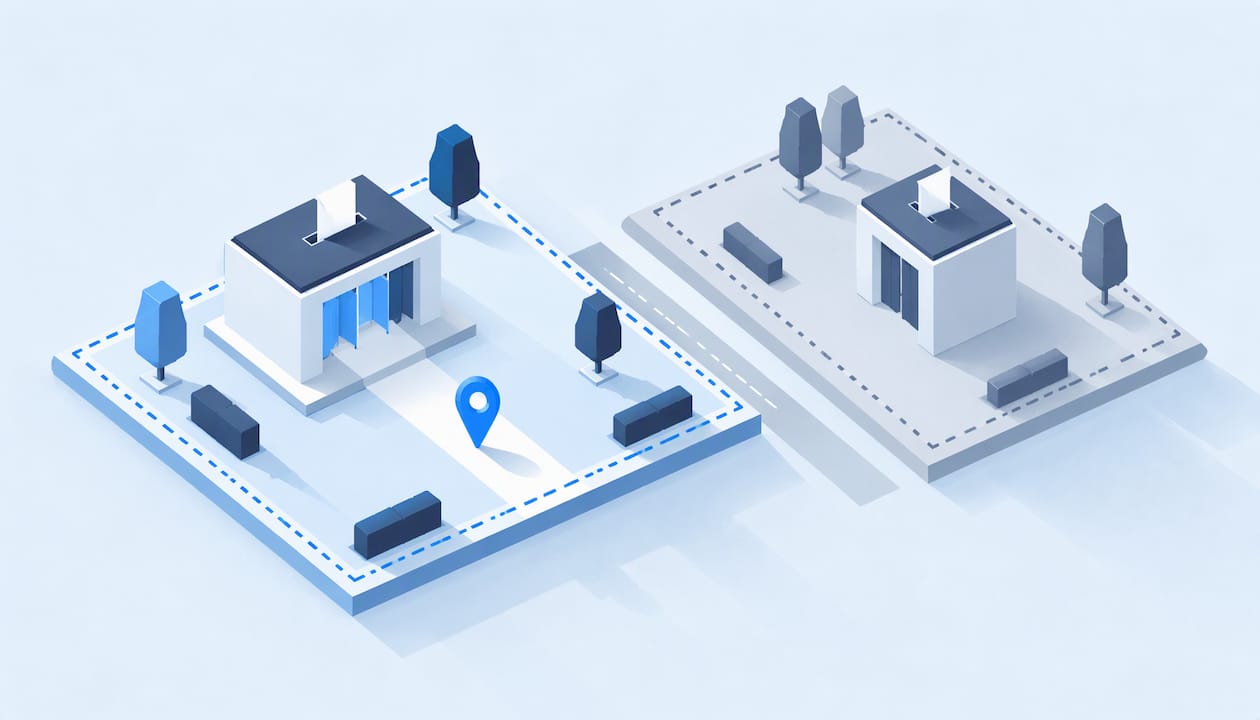
Geo-restricted voting means only people in a defined place can cast a vote: a country, a state, a city or a school district. For an award, pageant or community contest, the most dependable way to run it is to write the eligibility rule in plain words first, then confirm each voter’s identity with a method that fits the rule, rather than relying on a hidden location check alone. Izivote’s voting modes (open, paid, login and identity-based) are built for exactly that kind of control over who counts as a voter.
This guide is for organizers of fan awards, people’s choice awards, student elections, nonprofit contests and community polls. It does not cover government elections beyond what they teach you about writing fair rules.
Key Takeaways
- Decide the eligibility rule in words first (who may vote and why), then choose the technical check that matches it.
- A location signal such as an IP address says where a connection appears to come from, not where a person lives. Country-level limits raise far fewer concerns than street-level ones.
- Identity-based voting, such as email or SMS one-time-code checks, ties one vote to one verified person, which is what most location rules are really trying to achieve.
- Tell voters the rule on the voting page and give anyone wrongly blocked a clear way to get help.
- Collect as little personal data as the rule needs and protect what you hold.
What geo-restricted voting actually means
The phrase covers two quite different situations.
In public elections, the law decides who may vote where. The European Commission’s study on remote voting defines remote voting as any way of voting other than in person at the polling station assigned to your district of residence, and sorts it into seven types, including postal, proxy and internet voting. The location rule belongs to the state, and the voter list enforces it.
In private online votes, such as an audience award or a student council poll, you are the rule maker. Nobody gives you a voter list. You decide whether a fan in another country counts, whether only students of one school may vote, or whether a vote from outside your region is shown but not counted. That freedom is useful, but it means you must define and defend the rule yourself.
Why restrict at all? Common reasons organizers give:
- The prize is tied to a place, such as a best local business award or a city’s favorite restaurant.
- A sponsor or funder pays only for a particular market.
- A school or club wants votes only from members of that community.
- A pageant or fan award wants to stop one organized group from flooding results from elsewhere.
- Local rules or licenses for contests and paid entries differ by place. Check these with a lawyer in your jurisdiction before you charge for votes.
What public elections teach about location rules
Public elections have run location-based eligibility for a very long time, and three of their habits carry over well to a contest.
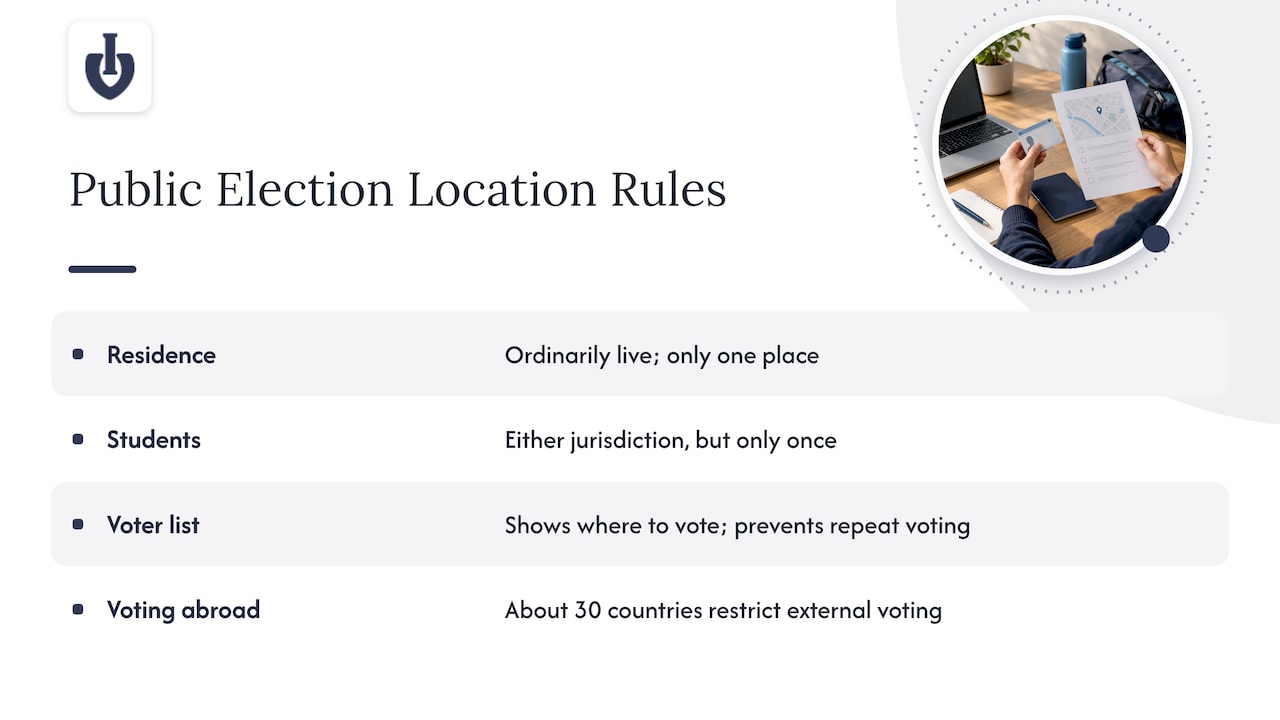
One person, one place, one vote. Elections Canada explains that a person can register and vote only where they ordinarily live, defined as the dwelling place they intend to return to when away, and a person can have only one such place. The principle is simple: a clear definition of “where you count” and a limit of one.
Edge cases are written down. British Columbia’s voter guide spells out that someone who lives in one jurisdiction and studies in another may vote in either place, but only once. It also says a person who works away for long periods votes where they keep their usual home. Your contest will meet the same cases: the student who lives out of state, the fan who travels, the business owner who lives in one town and operates in another. Decide them in advance.
A list tells people where they can vote. The OSCE/ODIHR handbook notes that a voter list tells voters where they can vote and helps ensure each person votes only once. For a private contest, your equivalent is an eligibility rule that voters can read, plus a way to confirm each voter is a single person.
Rules for people abroad also vary widely. International IDEA’s handbook reports that about 30 countries restrict external voting, usually by time spent abroad or activity abroad. The lesson for you is that a rule can be fair and still need exceptions for people with a real connection to the place.
Three ways to restrict voting by location, and how far to trust each
Most online contests use one of three approaches, or a mix.
1. Location signals from the connection
Geoblocking typically uses IP addresses and other electronic identifiers to guess where a visitor is. Legal scholar Peter K. Yu notes that country- and region-level access control is unlikely to raise major concerns, while finer-grained restrictions based on specific locations can be highly intrusive.
Two practical points follow. First, an IP address describes a network connection. A fan on a mobile network, a traveler on hotel Wi-Fi or a student on a campus network may appear to be somewhere else. Second, a country-level check is a reasonable broad filter, but a neighborhood-level check asks for more location data than most contests justify.
2. A declared location
You ask voters to pick their country, state or school and confirm it. This is easy and respectful of privacy, and it works when the stakes are low and the community is honest. On its own it will not stop a determined person from claiming a place they do not belong to.
3. Identity-based voting
Here each voter proves they are a real, single person through something they control: an email address, a phone number or a login. Izivote offers email verification and SMS one-time-code verification among its voting types, and its help center explains voting types and voter identity.
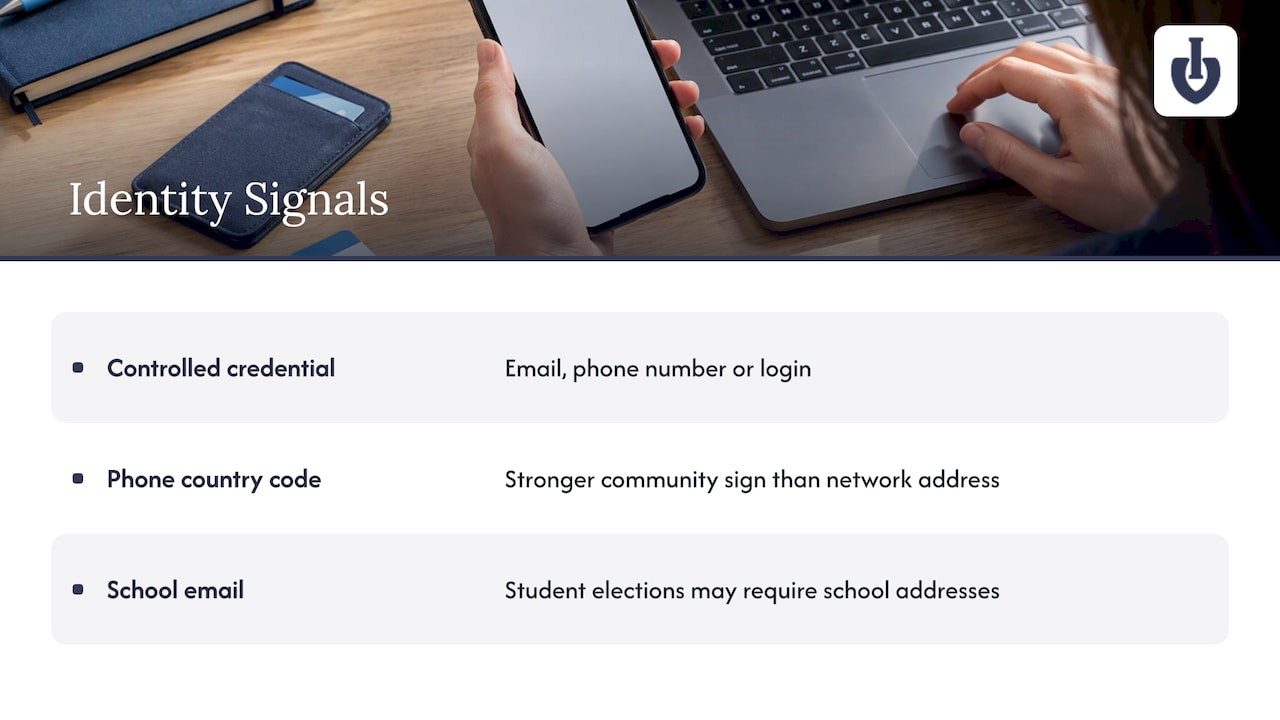
This matters for location rules because a phone number’s country code or a school email domain is a stronger sign of membership in a community than a network address. A student election, for example, can be limited to people holding school addresses, which is a rule about belonging that does not depend on where the student’s device happens to be that evening. Izivote’s student elections page shows how that works for schools.
Comparison at a glance
| Method | What it tells you | Privacy cost | Best for |
|---|---|---|---|
| Location signal (IP) | Where a connection appears to come from | Low at country level, high if precise | A broad country or region filter |
| Declared location | What the voter says | Very low | Friendly community polls |
| Identity-based (email, SMS, login) | One verified person per vote | Moderate: you hold a contact detail | Awards, pageants, school votes, paid voting |
For most organizers, the strongest setup is a clear declared rule plus identity-based voting, with a country-level check only where the rule is truly about a country.
How to set up a location rule, step by step
Step 1: Write the rule as one sentence
Example: “Votes count from residents of Ohio, verified by phone number.” If you cannot say it in a sentence, voters will not understand it either. Name the place, name who qualifies (resident, student, member) and name the proof.
Step 2: Decide the edge cases
Use the public-election examples above. Does a student who studies in your city but lives elsewhere count? Does a fan living abroad who is from the town count? Write one line for each case you expect. Public bodies spell these out for a reason: unwritten exceptions are where disputes begin.
Step 3: Match the check to the rule
If the rule is about a community, use a login or a verified email domain. If it is about a person being real and unique, use SMS or email verification. If it is about a country, a country-level location check may be enough. Pick the lightest method that enforces the rule. Izivote’s voting dashboard features and real-time vote monitoring let you watch votes arrive while the vote runs, so odd patterns show up early.
Step 4: Put the rule on the voting page
State who can vote, in the first lines of the page, before the vote button. Give the reason (“This award celebrates local businesses”) so the rule feels fair rather than arbitrary. Page layout and trust cues are covered in award voting page design.
Step 5: Keep a record you can explain
If a nominee or a sponsor questions the result, you want to show what was counted and why. Izivote’s guide to the vote audit trail covers what to record and how to use it.
Step 6: Choose open or paid voting deliberately
Paid votes change the stakes, because money creates a reason to game the rule. Compare the two in open vs paid voting before you launch, and run the location rule with the same care in both.
Handling legitimate voters who get blocked
Every location rule blocks some people it should not. A traveling fan, a military family, a student abroad for a semester: each is a real voter caught by a rule written for the typical case.
The Elections Canada legal-framework paper by Dr. Bryan Schwartz and Dan Grice recommends that if electronic voting is limited to a specified group, eligibility should be clearly prescribed, and that non-electronic alternatives stay accessible. You cannot copy that to the letter, but the spirit transfers:
- Say plainly why someone might be blocked. A message such as “This vote is open to voters in the United States” is far better than a silent failure.
- Offer a way to ask for help. An email address on the voting page is enough. Reply within a day and decide by your written edge-case rules.
- Provide a second route where you can. A voter who cannot pass a location check might verify by a school email or a phone number tied to the community instead.
- Keep the vote period long enough. The same paper recommends an electronic voting period of at least a week for public elections. For a contest, a window that gives people time to sort out a problem is kinder and produces fuller results.
- Make a decision log. Note each exception you grant so you apply the rule evenly.
The same paper adds that voters who are not comfortable with computing technology should have enough non-electronic options and confidence that their vote is secure. For a small community vote, that can be as simple as a staffed table at your event with a tablet or a QR code. Izivote’s guide to QR codes for voting explains scan-to-vote contests, and the live event voting display guide shows how to put results on a screen at the venue.
Protect the data you collect to enforce the rule
Every check you add collects something: a phone number, an email, a rough location. The Council of Europe’s 2023 guidelines on processing personal data for voter registration and authentication call for risk assessments before processing voter data, looking at unauthorized access, modification and destruction. They also name measures such as access controls, secure logs and reporting serious breaches. They are written for public elections, but they make a good checklist for any organizer.
The OSCE/ODIHR handbook adds that only information necessary to identify a voter as eligible should be made public, and that voter data must be accurate, not excessive and secured against loss, unauthorized access and alteration.
In practice:
- Collect only what the rule needs. If country is enough, do not ask for a street address.
- Never publish voter details on a results page.
- Limit which team members can see voter contact data, and use strong sign-in on those accounts. Hardware-based sign-in is one option, and a guide on electronic voting security explains how it protects authentication.
- Delete contact data you no longer need once the vote is certified.
It also helps to be honest about what electronic ballots can show. Beth Benas, in a position paper for a NIST workshop on remote voting, points out that there is no known way to confidently audit electronic ballots in government elections, because each person makes only one transaction. That concern is about binding public elections. For an audience award, a clear audit trail and live monitoring give you the evidence your nominees and sponsors will ask about.
Where Izivote fits
If your contest needs a location rule you can explain, Izivote lets you launch a vote quickly and choose how voters are recognized: open, paid, login or identity-based voting, with live results and a dashboard to follow votes as they come in. You can add nominee photos and profiles, embed the voting page on your own site, allow self-nomination and have voting close automatically.
The Free plan suits small events. Pro costs $6 per month or $60 per year, and Premium costs $14 per month or $140 per year. If you run paid voting, the platform fee is 10% per vote. See the pricing page for what each plan includes, or look at the people’s choice awards and paid voting pages to match a setup to your event.
When you are ready, you can create a vote for free and see how the voting page reads for your audience. Browse the features overview or real customer events to see the formats organizers use.
A worked example: a city’s favorite restaurant award
Say a downtown business group wants to run a “Best Local Restaurant” award, with winners chosen by residents of its city.
- Rule: “Votes count from people who live in or near the city, verified by a mobile number.”
- Edge cases: commuters who work downtown but live in the suburbs may vote; visitors may browse but their votes are not counted.
- Check: SMS one-time-code verification, so each phone number casts one vote per category. The group avoids collecting street addresses.
- Page: the rule appears above the nominees, with an email address for questions.
- Monitoring: the organizer watches the live dashboard and looks at any category where votes spike at odd hours.
- After: the group saves the audit record and deletes contact data after announcing winners.
Nothing in this process depends on guessing where a person is standing. It depends on a rule people can read, a check that suits the rule and a record the organizer can show.
FAQ
Can I block votes from other countries?
Yes, you can limit an award to a country by stating the rule on the voting page and verifying voters with a method that fits it, such as a phone number. Country-level restrictions are the least intrusive kind of location control, according to legal research on geoblocking. Add a way to contact you for voters who are blocked by mistake.
Is an IP address enough to prove where a voter lives?
No. An IP address shows where a connection appears to originate, which can differ from a person’s home, especially on mobile networks, campus networks or while traveling. Use it, if at all, as a broad filter and rely on identity-based voting to ensure one verified person per vote.
How do I stop one group from flooding my vote from outside my area?
Combine a stated eligibility rule with identity verification, so each verified person gets one vote per category. Then watch the live results during the vote for sudden spikes. A saved audit trail lets you explain any decision you make.
Does this guide apply to government elections?
No. Public elections are governed by law, and a voter’s place of residence decides where they may vote. The public-election examples here are there to show how clear, written rules work, and they are not legal guidance for official ballots.
Sources
- Drawbacks of Remote Voting, European Commission (2018)
- Chapter 6 – Electors, Elections Canada (03/2025)
- Handbook for the Observation of Voter Registration, OSCE/ODIHR (2012)
- Voting from Abroad, International IDEA (2007)
- A Hater’s Guide to Geoblocking, Peter K. Yu (2019)
- Establishing a Legal Framework for E-voting in Canada, Elections Canada (2013)
- Guidelines on the protection of individuals with regard to the processing of personal data for voter registration and authentication, Council of Europe (2024)
- UOCAVA Workshop Position Paper on Internet Voting, NIST
- Sicurezza voto elettronico: cos’è e come funziona
Leave a Reply