
A nominee profile page is the one place where a voter learns who a nominee is and why they deserve a vote. Build it with a name, one strong photo, a short story of 50 to 150 words, a few proof points and links, and it will do most of the work of your awards. Leave it thin or inconsistent and voters scroll past, judges guess, and nominees lose interest.
This guide covers what belongs on each profile, how to set image guidelines, how to lay out the gallery that links to every profile, and how to collect all of it from nominees without chasing them by email.
Key takeaways
- A profile has one job: give a stranger enough to decide in under a minute. Name, photo, short pitch, proof and a link are the core.
- Consistency beats polish. Fixed fields, word limits and one photo format make nominees comparable, which is what voters want.
- Set image rules before nominations open, and write alt text, so every nominee looks fair and every voter can use the page.
- The gallery is the front door. Make it searchable by category, and let each card lead to a full profile and a vote button.
- Collect profiles through one structured form or self-nomination, not through scattered emails and attachments.
Table of Contents
- What a nominee profile page is for
- The fields every profile needs
- Build in the eligibility check
- Image guidelines for nominee photos
- Designing the gallery that leads to profiles
- How to collect profiles without chasing people
- Profile writing tips you can give nominees
- Setting up nominee profiles with Izivote
- A profile template you can copy
- Common mistakes to avoid
- FAQ
- Sources
What a nominee profile page is for
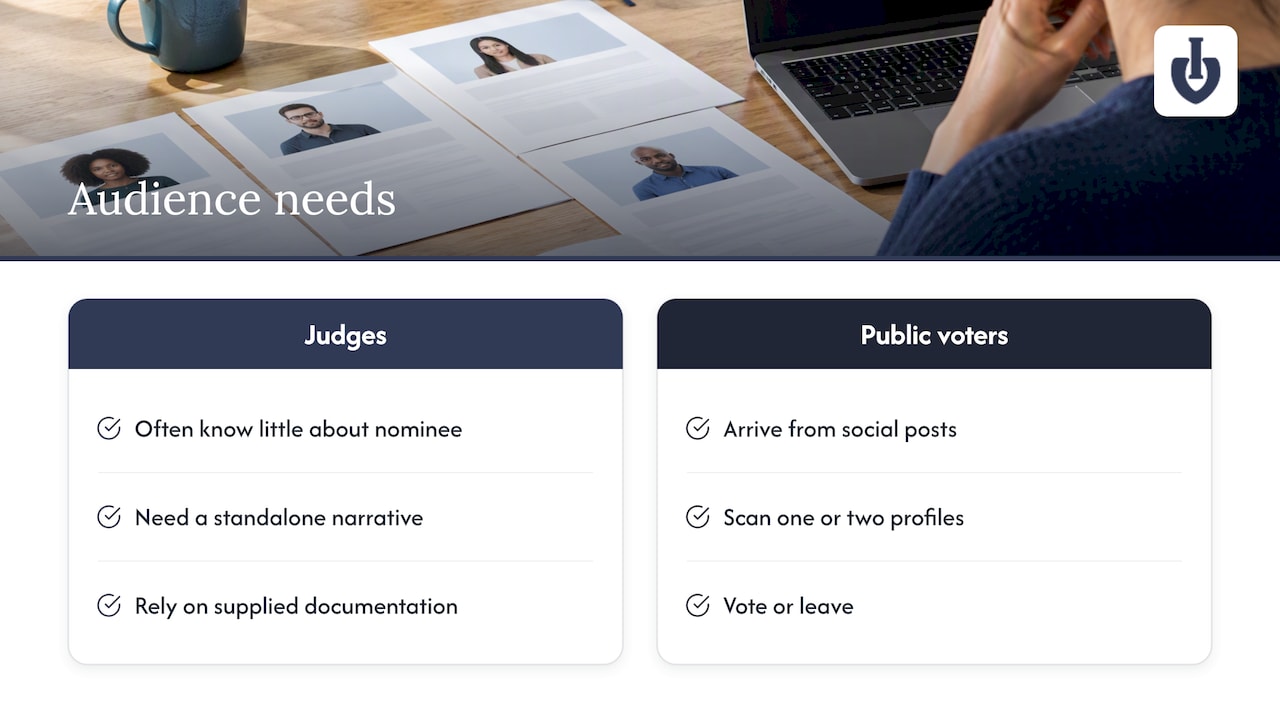
There are two audiences, and they want different things.
Judges and committees often know nothing about the person in front of them. Experts who review formal nominations note that the narrative has to stand on its own, because the committee relies entirely on the documentation provided. Public voters are even less patient. They arrive from a social post, look at one or two profiles, and vote or leave.
Election guidance makes a useful comparison. One voter-guide author describes a candidate profile as essentially a resume and tells voters to think like a boss hiring for the role. A fan award is lighter in tone, but the logic holds: the profile is the application, and the voter is deciding who gets the job of winning.
So write every field with a stranger in mind. If a line only makes sense to people who already know the nominee, cut it or explain it.
The fields every profile needs
Formal award programs ask for a lot. A typical honors nomination includes a full name, contact details, a short biography often capped at 200 to 300 words, a citation of 300 to 500 characters, supporting work and a CV or media links, as the ASME nomination instructions show. A public vote needs a lighter version of the same idea.
| Field | Public? | Suggested limit | Why it matters |
|---|---|---|---|
| Display name | Yes | As the nominee wants it shown | Avoids misspellings on the winner graphic |
| Category | Yes | One or more | Puts the nominee in the right race |
| Photo | Yes | One main image | The first thing voters see |
| Short pitch | Yes | 150 to 300 characters | Shows in gallery cards and share previews |
| Full story | Yes | 50 to 150 words | Gives voters a reason |
| Proof points | Yes | 2 to 4 bullets | Results, past wins, audience size, projects |
| Links | Yes | Website and 1 to 3 social profiles | Lets voters verify the nominee is real |
| Contact email | No | Required | For notifications and prizes |
| Eligibility confirmation | No | Checkbox | Keeps invalid entries out |
The pitch line
The short pitch is the most valuable field on the page. Formal programs treat the citation as the heart of a nomination: a fixed-length statement that tells reviewers right away why the person is worth the award. Borrow that discipline. A 150 to 300 character pitch shows on the gallery card, in link previews and on mobile, and it forces nominees to lead with their best point.
A weak pitch: “Maria has been a member of our community for many years and does lots of things.”
A stronger one: “Maria runs the Saturday food pantry that served 4,000 neighbors this year, with no paid staff.” (An example of the shape, with invented details for illustration.)
Proof and links
Voter guides note that profile tools often include links to social media and official websites, which help confirm a candidate’s authentic public image. The same applies to a fan award. A link to a channel, shop or portfolio tells voters the nominee is real and gives them somewhere to go after they vote, which nominees appreciate.
Private fields
Keep contact details and eligibility answers off the public page. Collect them in the same form, but show only what a voter needs.
Build in the eligibility check
A common pitfall in formal awards is accepting nominations first and checking eligibility later. Insiders recommend putting criteria such as age, membership status or previous wins directly into the submission flow, so invalid entries never reach the judging stage, as the ASME guidance suggests.
For a people’s choice award, that can be as simple as three checkboxes: “I live in the eligible region,” “I have not won this award before,” “I agree to the rules.” Add a visible rules link, and decide in advance who can remove a profile and why. Removing a nominee mid-vote is far more painful than declining an entry on day one.
Image guidelines for nominee photos
Images decide how professional your awards look. Mixed sizes, blurry selfies and logos stretched into squares make a gallery look careless, and they quietly favor nominees with better cameras. Publish rules before nominations open.
What to ask for
- One main image per nominee, in a single aspect ratio. A square or 4:3 crop works well on cards. Say which one you use.
- High resolution. One professional association asks award winners for headshots saved at 8 by 10 inches and 300 dots per inch, with a plain background and even lighting, and room around the head and shoulders so designers can crop. That is a print standard. For a web vote you can ask for less, but the advice on plain backgrounds and cropping space carries over.
- A minimum pixel size, such as 1200 pixels on the longest side, so images stay sharp on large screens.
- Accepted formats: JPG or PNG, with a file size cap you state up front.
- Rights: nominees confirm they own the image or have permission, and that you may display it for the award.
- Category-specific rules. For product awards, ask for a product shot. For teams, a group photo. For people, a face that is easy to see at thumbnail size.
What to forbid
Ask for no watermarks that cover the subject, no heavy filters, no text-heavy flyers as the main image, no images of minors without a guardian’s consent, and nothing misleading. If you let nominees upload anything, expect a poster with tiny text that is unreadable at card size.
Alt text and accessibility
Images need text alternatives. The W3C’s guidance says informative images need a short description conveying the essential information, while purely decorative ones should have empty alt text. For a nominee photo, the alt text can be as simple as “Maria Lopez outside the food pantry.” Research presented at a security workshop also points out that accessibility affects how users with disabilities are exposed online, so organizers should check that their nominee pages meet accessibility standards such as WCAG. Practically: good contrast, readable type sizes, keyboard-friendly vote buttons and no information that exists only inside an image.
Designing the gallery that leads to profiles
The gallery is the page most voters see first. Organizers use public galleries of accepted nominees to build excitement, often with photos, short statements and sometimes the ability to comment on or vote for entries. Designs range from simple lists to interactive pages with search and filters.
For most awards, this setup works:
- Group by category. Voters come to vote in one race. Do not make them hunt.
- Use cards, not walls of text. Photo, name, pitch line, a View profile link and a vote button.
- Keep card sizes equal. Uneven cards suggest some nominees matter more.
- Randomize or alphabetize. Fixed order by submission time quietly favors early nominees. Say which you use.
- Add search once you pass about 20 nominees.
- Make each profile shareable. Nominees will send the link to their followers, and that is where much of your traffic comes from.
If you have hundreds of entries, galleries can load slowly. Large entry sets sometimes need a quick refresh before all images appear, so keep image files compressed and test the page on a phone with weak signal.
A profile that works on a phone
Most public voting happens on mobile. Put the photo, name and vote button above the fold, keep the story short enough for two or three screens at most, and avoid pop-ups on top of the vote button. A voter should never need to pinch and zoom.
How to collect profiles without chasing people
The biggest hidden cost of nominee pages is gathering the material. Anyone who has run an awards program knows the pattern: some nominees send a photo as an email attachment, some send a phone screenshot, a few send nothing, and you retype everything.
Two practices fix most of it.
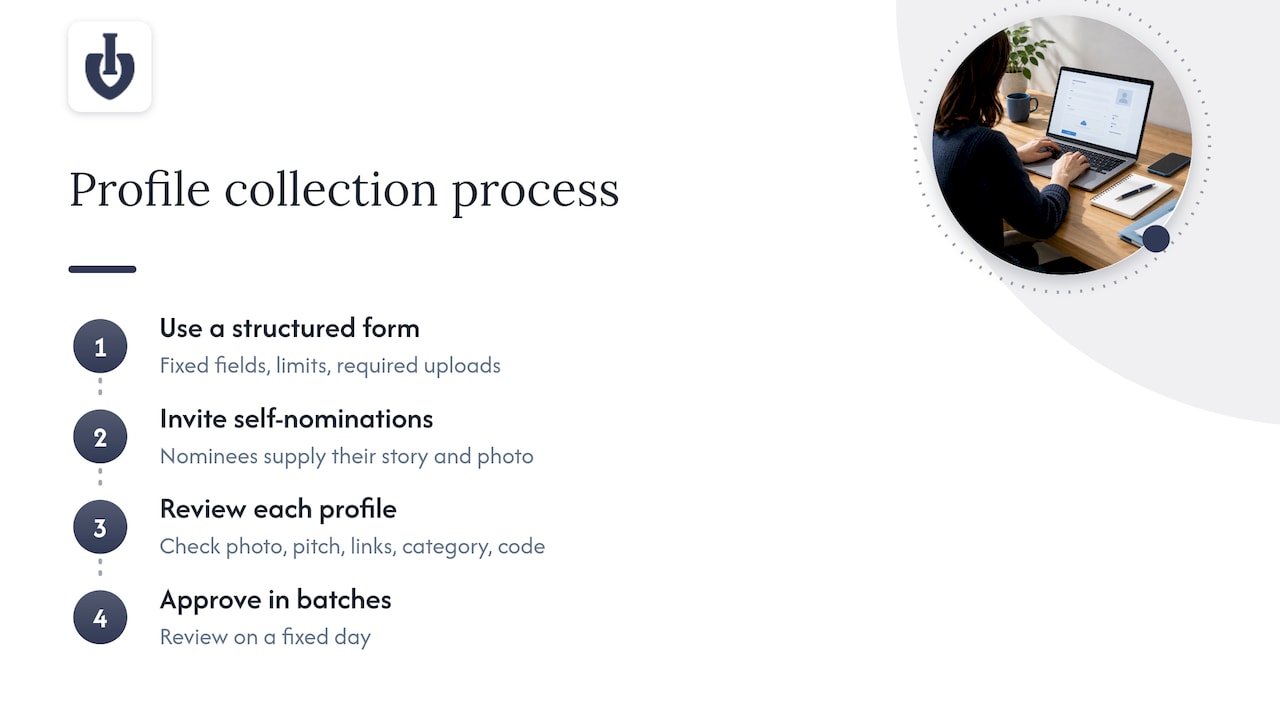
Use one structured form. Fixed fields, character limits and required uploads produce profiles that look alike. Formal programs go further: one fellowship program asks for a specific CV format, and the principle is sound for organizers, since a template or clear guide on what to include reduces the burden on nominators and yields comparable profiles. A form with examples beside each field does the same job for a public award.
Let nominees nominate themselves. In a fan award, most nominees know their own story best and want to supply the photo. Self-nomination, followed by your approval, moves the work off your desk. Keep a review step so nothing goes public unchecked.
Then set a review checklist: Is the photo within the rules? Is the pitch inside the limit? Do the links work? Is the nominee in the right category? Does anything violate your code of conduct? Approving profiles in batches, on a fixed day, keeps the process predictable.
Profile writing tips you can give nominees
Most nominees have never written about themselves for strangers. Give them a short guide on the form:
- Lead with what you do and who it helps, not with your job title.
- Use real numbers when you have them: customers served, episodes published, years running.
- Write in the first or third person, but pick one and stay with it.
- Mention one thing that makes you different from the other nominees in your category.
- Finish with the action: where voters can follow you.
- Proofread. Spelling errors on a public page are visible to everyone who votes.
For awards that photograph well, such as photography contests, the visuals do much of the persuading. If you run that kind of award, it helps to see how public votes work in photo awards and what entrants do to attract them.
Setting up nominee profiles with Izivote
Izivote is built for public audience awards, so nominee profiles are part of the setup rather than something you assemble from a form builder and a website editor. You can add nominees with photos and profile details, run several categories in one vote, accept self-nominations, and embed the voting page on your own site. Results show live on a dashboard, and voting can close automatically on the date you set.
You can also choose how people vote: open, paid, login or identity-based. The voting types guide explains each one, and the features overview lists what is included. If your award is a people’s choice contest, the people’s choice use case shows how it fits together, and you can create a fan award to see your nominee gallery take shape.
Pricing is published on the pricing page. There is a Free plan for small events. Pro costs $6 per month or $60 per year, and Premium costs $14 per month or $140 per year. If you run paid voting to raise funds, there is a 10% platform fee per vote.
A profile template you can copy
Paste this into your nomination form or your instructions for nominees.
- Name as it should appear: (up to 60 characters)
- Category: (choose one)
- Main photo: JPG or PNG, at least 1200 pixels on the longest side, one subject, plain or uncluttered background, no text overlays
- One-line pitch: (150 to 300 characters)
- Your story: (50 to 150 words)
- Proof: (2 to 4 bullet points: results, past recognition, audience size)
- Links: website and up to three social profiles
- Contact email: (private, for notifications only)
- Confirmations: I am eligible, I own the rights to this photo, I accept the rules.
Test the template yourself first. Fill it in as a nominee would, then view the result on a phone. If any field produces a messy result, change the limit before you open nominations.
Common mistakes to avoid
- Letting each nominee choose their own format. The gallery ends up uneven and voters notice.
- Hiding the vote button. If a voter has to scroll or log in repeatedly, you lose votes.
- Skipping the review step. A single inappropriate image damages trust in the whole award.
- Forgetting alt text and contrast. It excludes voters and weakens the page.
- Changing profiles mid-vote. Edits after voting opens can look like favoritism. Freeze profiles when voting starts, except for corrections.
- Burying the rules. Link them from every profile.
FAQ
What should a nominee profile include?
At minimum: name, category, one photo, a short pitch, a short story, a few proof points and a link to the nominee’s website or social profile. Keep contact details and eligibility answers private. Formal programs often add a biography and a citation of fixed length, and the same discipline makes public profiles easier to compare.
How long should a nominee bio be?
For a public vote, 50 to 150 words is enough, plus a pitch line of 150 to 300 characters for gallery cards. Formal honors often cap biographies at 200 to 300 words, so treat that as an upper limit. Shorter is better on mobile.
What size and format should nominee photos be?
Choose one aspect ratio, such as square, and set a minimum pixel size, for example 1200 pixels on the longest side. Accept JPG or PNG and state a file size cap. Ask for a clear, uncluttered image, and require that nominees own the rights.
Can nominees create their own profiles?
Yes, and it saves a lot of work. Offer self-nomination through a structured form, then review each entry against your eligibility rules and image guidelines before it goes public. Izivote supports self-nomination for this purpose.
How do I make a nominee gallery easy to use?
Group nominees by category, use equal-sized cards with a photo, name and short pitch, and put a vote button on every card. Add search once you have more than about 20 nominees, and test on a phone before launch.
Sources
- ASME award nomination instructions
- Understanding candidate profiles, iVoterGuide
- Find My Candidates, Citizens Clean Elections Commission
- Blavatnik Awards nomination materials and instructions
- Images tutorial, W3C Web Accessibility Initiative
- MADWeb 2023 workshop program, NDSS Symposium
- Awards headshot guidelines, AVMA
Leave a Reply